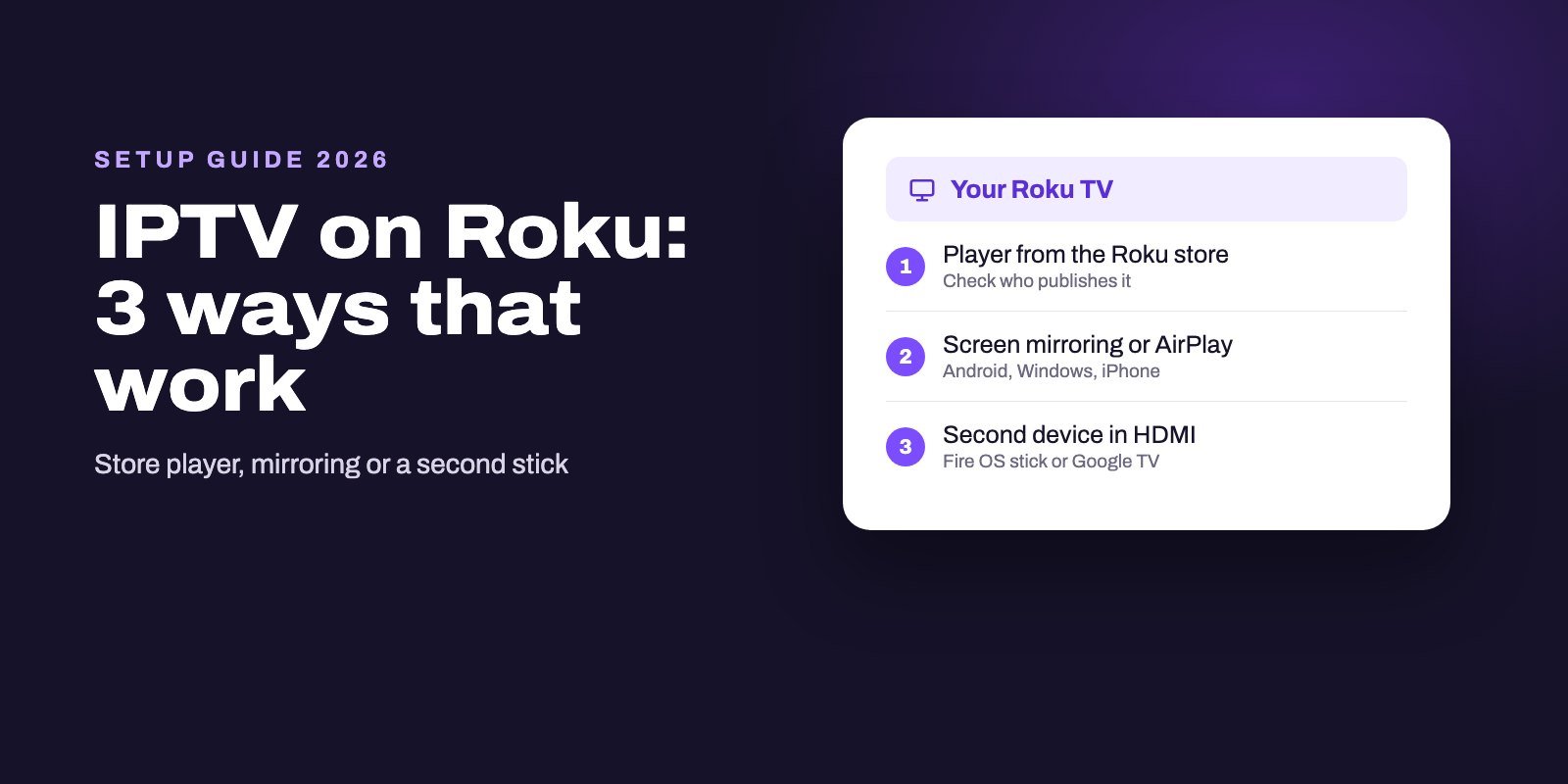
You can watch IPTV on a Roku in three ways: install an IPTV player from the Roku Streaming Store and add your M3U link or Xtream Codes login, mirror the picture from an Android phone, a Windows PC or an iPhone, or plug a second streaming device into the same TV. There is no TiviMate for Roku, and the official IPTV Smarters download page lists no Roku version.
On Roku, an app's name proves nothing. Roku only runs certified apps from its own store, it switched off private channels in 2022, and its IPTV shelf is crowded with near-identical names from different companies. Check who publishes a player before you pay for it, and you have already avoided the most common Roku mistake.
Note: Smart IPTV App is an IPTV provider, and we promote our own service on this page. The apps and devices mentioned here are made by independent companies.
Last checked: October 8, 2026, against Roku's support pages (adding apps, screen mirroring, AirPlay, Roku Media Player), the Roku developer blog, the Roku Channel Store and the developers' own sites. Store listings change often, so treat names and ratings as a snapshot.
Why IPTV is harder on a Roku
A Roku is a closed box, by design. It installs apps from the Roku Streaming Store and nowhere else. There is no "unknown sources" switch, no Downloader app and no APK file that will run on it, so the Firestick tutorials you may have seen simply do not apply.
For a while there was a side door. Developers could publish "non-certified" channels that anyone could add with a code, and plenty of IPTV players lived there. That door is shut. According to the Roku developer blog, all non-certified channels were disabled on every Roku device on February 23, 2022.
What replaced them is not meant for the public. A Roku developer account can create up to 10 beta channels, each limited to 20 test users at a time, and every beta channel expires 120 days after it is created, as Roku explains in its announcement. Roku also offers an Independent Developer Kit, but that is for developers building apps for their own personal use.
So when a website hands you a "private channel code" for IPTV in 2026, be skeptical. At best it is a short-lived test build with a handful of seats. Most of the time it leads nowhere.
The three ways at a glance
| Player from the Roku store | Screen mirroring or AirPlay | Second device on the TV | |
|---|---|---|---|
| What you need | Your Roku and the player's license, if it charges one | An Android phone, a Windows PC, an iPhone, an iPad or a Mac | A Fire OS stick or a Google TV streamer |
| Choice of players | Only what the Roku store offers | Whatever runs on your phone or computer | Every major player, TiviMate included |
| TV guide | Depends on the player | Whatever your phone's player shows | Full guide in most players |
| Main drawback | Look-alike apps, licenses per app | Your phone stays busy, picture depends on Wi-Fi | One more device and one more remote |
| Best for | Occasional viewing on a Roku you already own | Testing, or a match from time to time | Watching IPTV every day |
The first option is the cheapest way to start, and the third makes sense once you watch every day. Both are fine. What matters is knowing the limits of each before you spend money.
Way 1: An IPTV player from the Roku Streaming Store
Adding an app to a Roku takes a minute. Roku's support guide gives the path:
- Press Home on the Roku remote.
- Select Streaming Store on the Home screen, or use Search.
- Type the name of the player, open its page and check who publishes it.
- Select Add app. The app appears at the bottom of your apps on the Home screen, and you can move it higher.
What the store actually shows
We searched the Roku Channel Store for "iptv" on October 8, 2026. The results were a lesson in caution. "IPTV Smarters Pro" came from a company called Smarters Tech LLC. "IPTV Smarters Player" came from Logic Titans LLC. "IPTV Smarter Pro", with one letter less, came from IPTV Player Center LLC. Others, such as IPTVplayerio and IPTV 4K USA, came from different developers again, and one of them advertised lifetime access from $19.99 in its description.
None of that makes these apps bad. It does mean the familiar name tells you nothing about who built the app. The official IPTV Smarters download page lists versions for Android, Android TV, Apple devices, LG, Samsung, Windows and macOS, and no Roku version at all. If you know Smarters from another device, the Roku app with a similar name is very likely a different product.
How to pick one without regret
- Read the developer name on the app page, then look for a website. A serious player normally has a site that explains how to add a playlist.
- Check the login type. Your provider sends Xtream Codes details, an M3U link or both. The description should say which ones the app accepts.
- Look at the rating and the number of reviews together. A 4-star app with three reviews tells you very little.
- Test before you pay. Some Roku players are free to install and charge inside the app. Try yours with a real login first, ideally in the evening, when home networks are busiest.
Hot Player
Hot Player is one of the few IPTV players whose own official site names the Roku Store among its platforms, next to the LG and Samsung stores. It is a media player with no channels included. Its developer offers a 30-day free trial, then a yearly or a lifetime license, and lets you keep up to three playlists and switch between them.
The same caution applies here. When we searched the Roku store for "hot player", a listing called "Hot Player Pro" showed a developer named "Smarter IPTV Player". Compare the publisher and the screenshots with hotplayer.app before you buy a license.
Setup works through the developer's website rather than the remote:
- Install the app from the Roku Streaming Store and open it.
- Write down the MAC address the app shows on screen.
- On your phone or computer, open hotplayer.app and choose Upload List.
- Enter the MAC address and add your playlist with the details your provider sent.
- Restart the app on the Roku so it loads the list. The developer also lets you lock the MAC address, so nobody else can reset your playlist.
Players that ask for a login on the TV
Some Roku players skip the website and ask for your details directly. Choose the Xtream Codes option when it exists, then enter the server address exactly as your provider wrote it, including http:// and the port number, followed by the username and password. Typing all that with a Roku remote is slow. Take your time, because one wrong character is enough for a refusal. If the app answers with "login failed", read our breakdown of login errors, which explains what each cause looks like.
What about Roku Media Player?
Roku's own media app deserves a mention, because people often ask whether it can open an IPTV list. According to Roku's support page, Roku Media Player reads playlists in .m3u, .m3u8 and .pls format from a USB drive or a DLNA media server on your network, and a playlist entry can point to a web address that starts with http:// and ends with a file extension.
In practice it was built for your own films, music and photos, so it has no TV guide, no Xtream Codes login and no channel categories, and many IPTV lists use addresses it will not accept. It can be a quick experiment if you are curious. It is not a way to watch IPTV every night.
Way 2: Mirror your phone or computer to the Roku
Here the IPTV player runs on your phone, tablet or computer, and the Roku only displays the picture. You use whatever player you like on the phone, and the TV becomes a big second screen.
From an Android phone or a Windows PC
Roku's screen mirroring guide covers Android devices and Windows 10 and 11 computers. Both devices must be on the same network, and once you start mirroring from the phone or PC and select your Roku, the TV asks what to do with the request. You can choose Always allow, Allow for this session only, Block or Always block.
Two limits from Roku's page are worth checking first. Screen mirroring is not supported on the Roku Express model 3700. And on Android, Roku says a device running Android 10 or later likely supports screen mirroring, though menu names vary between phone brands.
From an iPhone, iPad or Mac
Apple devices use AirPlay. According to Roku's AirPlay page, you need an iPhone or iPad on iOS 12.3 or later, or a Mac on macOS Mojave 10.14.5 or later, and a compatible Roku on Roku OS 9.4 or later, with some models needing Roku OS 10.0. Both devices must be on the same Wi-Fi network. On the Roku, open Settings, then Apple AirPlay and HomeKit, and check that AirPlay is set to On.
Living with mirroring
Mirroring is the free way to test IPTV on a Roku today. Its weak points are real, though. The phone has to stay on and nearby for the whole program, and a call or a notification can interrupt the picture. The picture travels wirelessly from the phone to the TV on top of the stream the phone itself receives, so quality depends heavily on your wireless conditions. Turn off battery saving for the player app, plug the phone in, and keep it close to the router if you can.
Way 3: Add a second streaming device
If you plan to watch IPTV every day, this is the option we recommend. A Fire OS stick or a Google TV streamer plugs into any free HDMI port, including one on a Roku TV, and gives you the full choice of players. TiviMate, which its developer builds for Android TV, has no Roku version, but it runs on those devices.
There is one trap to avoid when you buy. Amazon is moving some new sticks to Vega OS, which does not allow IPTV players from outside the store. Our guide to installing IPTV on a Firestick lists which models still work, and our setup guide for every device covers Google TV and the other options.
Keep the Roku for Netflix and the rest. Use the stick for IPTV. Switching between them takes one press of the TV's input button, and each device gets to do what it does best.
Common problems on Roku
The app you were told about is not in the store
Store listings change, and some apps are available only in certain countries. If a guide names an app you cannot find, it may have been removed, renamed or never published where you live. Do not chase a "private code" instead. Pick another player from the store or use mirroring.
Your phone does not see the Roku
Check that both are on the same network, including the same Wi-Fi band if your router splits them. On an iPhone, check that AirPlay is on in the Roku's settings and that the Roku runs a recent Roku OS. On a Roku Express 3700, screen mirroring is simply not available.
Channels buffer or freeze
The cause is usually the connection rather than the Roku. Our guide to IPTV not working or buffering starts with a two-minute test that shows whether the problem sits in your Wi-Fi, your device or the provider's server.
Channels play but the guide is empty
Some Roku players show no guide at all, and others need an EPG link. Our IPTV EPG guide explains where that link comes from and how players match it to your channels.
Test the whole chain before buying a Roku app
On a Roku, three things have to work together: the app, your Wi-Fi and the stream. A free trial is the cheapest way to find out whether they do. Ask for our 24-hour trial, try it in the store player you picked or through mirroring, and only then decide whether a paid app or a second stick is worth it.
Once you subscribe, the details arrive within 5 to 15 minutes of payment, by WhatsApp or email. Every plan allows between one and four devices at the same moment, so the Roku and a phone can share it. All plans are listed on the IPTV subscription page.
Frequently asked questions
Can you get IPTV on a Roku?
Yes, in three ways: an IPTV player from the Roku Streaming Store, screen mirroring or AirPlay from a phone or computer, or a second streaming device plugged into the same TV.
Is TiviMate available on Roku?
No. TiviMate is built for Android TV and has no Roku version. To use it on a Roku TV, plug a Fire OS stick or a Google TV streamer into a free HDMI port.
Is IPTV Smarters on Roku?
Apps with similar names are in the Roku store, but they come from several different companies, and the official IPTV Smarters download page lists no Roku version. Check the developer name before paying.
Do Roku private channel codes still work for IPTV?
Not as they used to. Roku disabled all non-certified channels on February 23, 2022. Beta channels exist for developers, but each one is limited to 20 test users and expires after 120 days.
Can Roku play an M3U playlist?
Roku Media Player reads .m3u and .m3u8 playlists from a USB drive or a home media server, but it has no TV guide or Xtream Codes login. For IPTV, a dedicated player or a second device works far better.
Can I AirPlay IPTV from my iPhone to a Roku?
Yes, on a compatible Roku with Roku OS 9.4 or later and an iPhone on iOS 12.3 or later, both on the same Wi-Fi network. Turn AirPlay on under Settings, Apple AirPlay and HomeKit.
What is the best way to watch IPTV on a Roku TV every day?
A Fire OS stick or a Google TV streamer in a free HDMI port. It gives you every major player, a full TV guide and no dependence on your phone.