TiviMate is the best IPTV player for most Firestick owners. It was designed for TV screens and remote controls, accepts M3U links and Xtream Codes logins, and has a full TV guide, catch-up, recording and multiview. If you mostly watch movies and series, IPTV Smarters Pro is the better free choice.
We judged all six on live TV first, because that is what an IPTV subscription is mostly for, and on live TV TiviMate's guide is the strongest of the lot. The other four each fit a narrower need. One check comes before any of them: if your stick is a 4K Select, a second-generation HD or the 3rd-gen Fire TV Stick 4K, it runs Vega OS and cannot install these players at all.
Note: Smart IPTV App is an IPTV provider, and we promote our own service on this page. The apps and devices mentioned here are made by independent companies.
Last checked: October 7, 2026, against the developers' own sites (tivimate.com, getiptvsmarters.com, iboiptv.com, kodi.tv, videolan.org), their Google Play listings and AFTVnews. App features and prices change with updates.
The six players side by side
Every app below is a player. It shows the channels from your IPTV subscription and provides none of its own, which each developer states on its official site or store page. What changes from one player to the next is how comfortable it is with a remote, which login types it reads, how good the TV guide is and what it costs.
| Player | Cost | Login types | TV guide | Best for |
|---|---|---|---|---|
| TiviMate | Free, paid premium for extra features | M3U, Xtream Codes, Stalker Portal | Full grid | Live TV with a cable-style guide |
| IPTV Smarters Pro | Free | M3U, Xtream Codes | Yes | Movies and series on demand |
| IBO Player | 7-day trial, then paid license | Playlists added from its website | If your provider supplies one | People who already use IBO on another TV |
| iMPlayer | Free, in-app purchases | Not detailed on its store page | Not detailed on its store page | Heavy customization |
| Kodi with PVR IPTV Simple Client | Free, open source | M3U | Yes | Users who already run Kodi |
| VLC | Free, open source | Single stream or playlist link | No | Testing whether a link plays |
None of the six comes from the Amazon Appstore. On a Fire OS stick you add them with the free Downloader app, using the official addresses given below. Our step-by-step Firestick installation guide covers Developer Options and Downloader in detail, so this article focuses on choosing the right player.
Check your Firestick before you choose a player
The best player in the world will not install on the wrong stick. Amazon is replacing Fire OS, which is based on Android, with a Linux-based system called Vega OS, and according to AFTVnews, Vega OS supports neither sideloading nor the Downloader app, so none of the players in this comparison can run on it.
- Vega OS (no IPTV players): 3rd-gen Fire TV Stick 4K, Fire TV Stick 4K Select, 2nd-gen Fire TV Stick HD.
- Fire OS (all six players work): Fire TV Stick 4K Max, Fire TV Stick 4K Plus, 1st-gen Fire TV Stick HD, Fire TV Cube and TVs with Fire TV built in.
To check the stick you own, open Settings > My Fire TV > About and read the software version. AFTVnews' updated guide says a version starting with 1 or 2 means Vega OS, while Fire OS versions start with 3, 5, 6, 7, 8 or 14.
If you are buying a stick mainly for IPTV, the Fire TV Stick 4K Max is the safest choice right now. AFTVnews reported on October 6, 2026 that the 4K Plus will be discontinued once its stock runs out, while the 4K Max stays in the lineup for now. On top of that, the 4K Max has 16 GB of storage, twice as much as other Fire TV sticks, plus 2 GB of RAM. That extra room matters. Large TV guides and recordings eat storage.
How we compared them
We did not benchmark these apps in a lab, and you should be wary of any article that says one of them "never buffers". Buffering mostly comes down to your connection and to the stream. What a player does change is how it feels with a remote in your hand, whether it accepts the login your provider sends (an M3U link or Xtream Codes), how good its TV guide is, what it costs, and whether the developer still publishes and updates it. Those are the points we checked, using each developer's own site and store listing.
1. TiviMate: the best choice for live TV
Open TiviMate and it looks like the guide on a cable box: channels down the left, programs laid out across a time grid, everything reachable with the arrow keys. Its Google Play listing lists support for M3U, Xtream Codes and Stalker Portal playlists and counts more than 5 million downloads.
The official site adds the features that matter to people who watch a lot of live TV. You can keep several playlists side by side, mark favorites, search, watch more than one channel on the same screen with multiview, go back in time with catch-up, record, lock categories with parental controls and rearrange the layout.
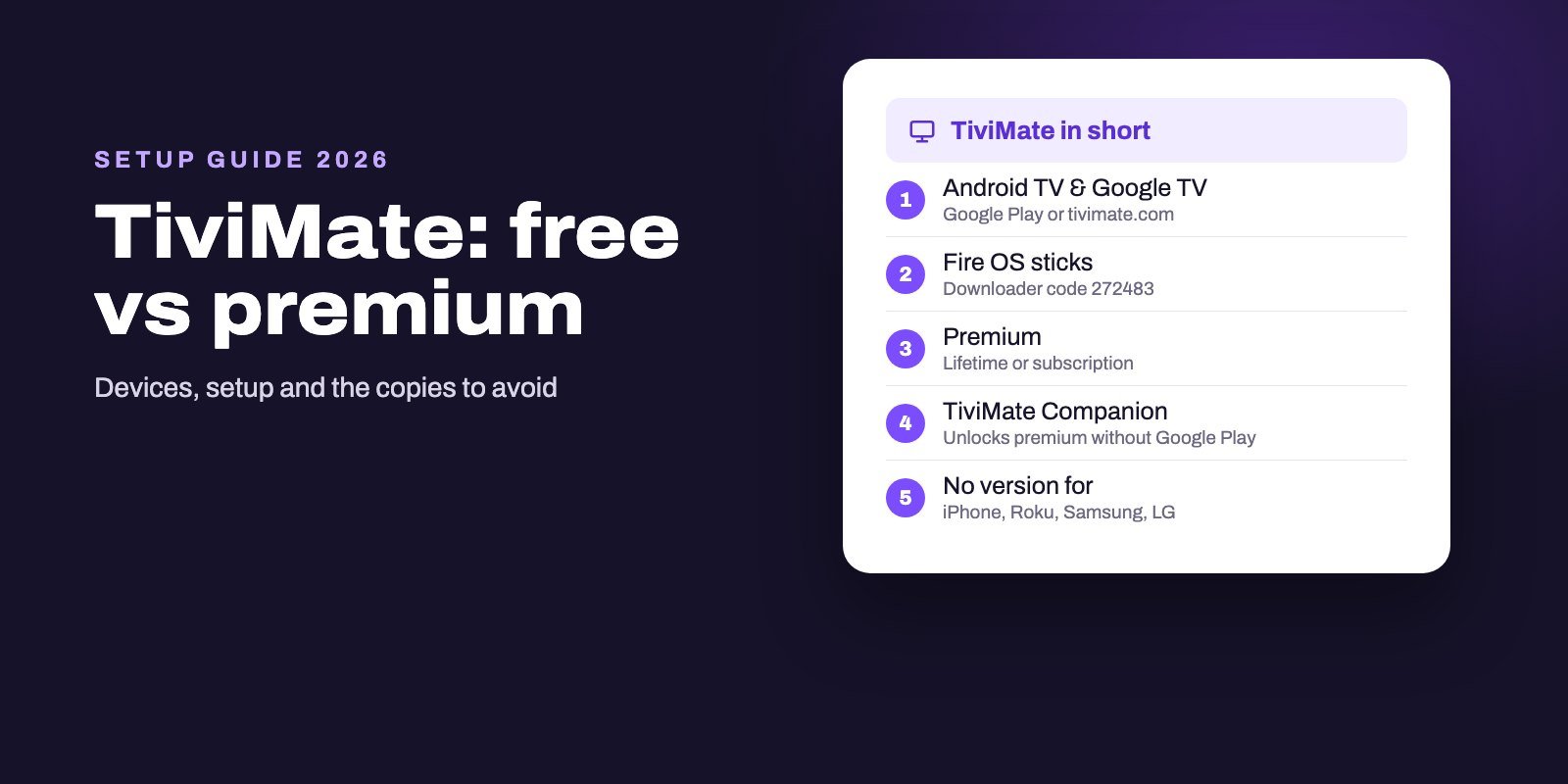
Installing it costs nothing. Some features need the premium upgrade, sold as a yearly plan or as a one-time lifetime purchase, and the developer is careful to say that premium never includes channels. On a Firestick, type the code 272483 or the address tivimate.com/apk into Downloader. Both come from TiviMate itself, and the official codes for the other players are listed in our guide to IPTV Downloader codes.
TiviMate was built for Android TV, and the developer says it is not optimized for phones or tablets, so keep it for the television. If you watch live channels most evenings and would use catch-up or recording, start with this one.
2. IPTV Smarters Pro: the best free player for movies and series
Where TiviMate is built around the live guide, IPTV Smarters Pro is built around a library. Your subscription appears in three separate sections, Live TV, Movies and Series, which makes a big on-demand catalogue far easier to browse than a long channel list. It accepts Xtream Codes logins and M3U links and has a TV guide for live channels. And it is free.
Get it from the developer and nowhere else. The official download page lists the Android TV version 5.0 (74 MB) with a SHA-256 checksum and states that the app "is not distributed through any other website". In Downloader, type getiptvsmarters.com, open the Download page and choose Android TV.
Most complaints about Smarters turn out to be login problems. The familiar "failed to authorize" message almost always points to a wrong character in the server address, username or password, and our guide to the IPTV Smarters failed to authorize error goes through each cause. Smarters also runs on phones, computers and some smart TVs, which suits households that want one app everywhere. Our IPTV Smarters Pro subscription page shows how a plan is set up for it.
3. IBO Player: worth it if you already use it elsewhere
IBO Player removes the most tedious part of IPTV on a Firestick, which is typing a long playlist address with a remote. The app shows a MAC address and a device key on screen. You enter those on the "Manage playlists" page of iboiptv.com from your phone or computer, paste your playlist link there, and the TV picks it up.
After a 7-day trial you need a paid license, and the developer says there are no refunds once you have bought it. The TV guide depends on your provider too, since IBO only shows one if the provider supplies it.
Be careful where you download it. When we searched Google Play for "IBO Player" on October 7, 2026, more than ten apps with nearly the same name came up, from different publishers. Only the downloads page on iboiptv.com gives you the genuine app. Downloader opens it fine. IBO makes most sense if you already pay for it on a smart TV and want the same screens on your Firestick.
4. iMPlayer: for people who like to customize
iMPlayer, from the developer HzApps, sells itself on customization and on looking the same on a phone and a TV. The Google Play listing for the TV version shows more than 500,000 downloads, a rating of 3.9 out of 5, in-app purchases and an update dated September 27, 2026. It does not say which login formats the app reads.
Reviews from Fire TV owners are mixed. Several recent ones call the navigation clunky, and one describes crashes while a playlist updates; the developer replies and points people to support@implayer.tv. Try it with your own login during a trial before paying for anything inside the app, and check that channels, guide and on-demand sections all load. People who like tweaking layouts get the most out of it.
5. Kodi with PVR IPTV Simple Client: free and open source
Kodi is a free, open source media center run by the non-profit Kodi Foundation, and its interface was made for TVs from day one. It does not read IPTV playlists by itself. You add the official PVR IPTV Simple Client add-on, which brings in M3U playlists, live TV, radio and the TV guide.
Expect a longer setup than with a dedicated IPTV app. Install Kodi 21.3 (Omega) from the Kodi Android download page through Downloader, then go to Settings > Add-ons > Install from repository > PVR clients > PVR IPTV Simple Client and enter your M3U link, plus your EPG link if you have one. The add-on needs an M3U link, so ask your provider for one if they only sent Xtream Codes details. Its own wiki page still describes it as "not yet stable software".
If Kodi already holds your films and music, adding live channels to it keeps everything in one place. Otherwise, pick a dedicated player.
6. VLC: a quick way to test a link
VLC is a general media player. It is here for one job. The Android version from the non-profit VideoLAN plays almost any file or network stream, HLS and DASH included, and it supports Android TV. VideoLAN's official Android page lists version 3.7.0, with the APK on its mirrors.
Its feature list has no TV guide grid, no Xtream Codes login and no catch-up, so it is no use for an evening of live TV. Its value is diagnostic. When a stream refuses to play, open the link in VLC, and if it plays there, the stream itself is fine and the problem sits in your usual player's settings.
Which player should you pick?
For live channels, news and sport, go with TiviMate: the guide grid and catch-up are what you will use every day. For films and series, IPTV Smarters Pro is the stronger free option thanks to its separate on-demand sections. If typing on the remote is what you dislike most, IBO Player's website setup takes it away.
Households that want the same app on phones and TVs should look at Smarters or iMPlayer, because TiviMate stays on the TV. Already on Kodi? Add the IPTV Simple add-on. And when a stream will not play and you cannot tell why, try it in VLC before anything else.
You can run two players. Switch between them with the same login whenever you like. Each screen that plays at the same time counts toward the device limit of your plan, whichever app it runs.
Avoid "premium unlocked" and modded APKs
Search for any paid IPTV player and you will find "premium unlocked" versions that promise its paid features for free. Someone other than the developer has modified them, they never get official updates, and nobody can tell you what was added inside. On a device that sits on your home network and stores your logins, that is a bad trade for saving the price of a license.
The sources in this article are the developers' own: tivimate.com, getiptvsmarters.com, iboiptv.com, kodi.tv, videolan.org and their official store listings. IPTV Smarters goes as far as publishing a SHA-256 checksum for each file, so you can confirm a download was not altered. Want TiviMate's premium features? Buy them inside the app.
Getting any player to run well on a Firestick
A player can only show what reaches it, and a Firestick has little room to spare. Watch the storage first: big TV guides and recordings fill an 8 GB stick quickly, so remove apps you no longer use and let Downloader delete installation files when it offers to.
When an app starts to feel sluggish, clear its cache in Settings > Applications > Manage Installed Applications. Leave Clear data alone, because it wipes your login and playlists. Refreshing the guide every few hours does not help either, since each update downloads the whole schedule again; once a day is plenty. Our IPTV EPG guide explains how the guide works and how to fix an empty or shifted one.
The connection counts for more than the app. Amazon's Ethernet adapter for Fire TV removes Wi-Fi drops entirely, and if you stay on Wi-Fi, the HDMI extender and the 5 GHz network both help. Restarting the stick under Settings > My Fire TV > Restart after a few days of uptime does no harm.
When a single channel buffers while others play fine, that stream has a problem and your player is fine. Send the channel name and the time to your provider. For every other cause, see our guide on IPTV not working or buffering.
Getting a login to try these players
Every one of these apps is empty until you add a subscription. Smart IPTV App sends Xtream Codes details or an M3U link on WhatsApp or by email, 5 to 15 minutes after payment, and between the two formats every player in this comparison is covered. Plans run on 1 to 4 devices at the same time.
Trying two players side by side is the quickest way to choose. Ask for the 24-hour IPTV free trial, install TiviMate and IPTV Smarters Pro, and use both one evening, when networks are busiest. Keep the one you like and pick a plan on the IPTV subscription page.
Frequently asked questions
What is the best IPTV player for Firestick?
For live TV, TiviMate, because it was designed for TV remotes and has a full guide grid, catch-up and recording. For movies and series, IPTV Smarters Pro, which is free and splits content into separate sections.
Which free IPTV player is best on Firestick?
IPTV Smarters Pro is free and reads both Xtream Codes and M3U. Kodi with PVR IPTV Simple Client and VLC are also free, but they need more setup or lack a TV guide.
Does IPTV still work on Firestick?
Yes, on Fire OS models such as the Fire TV Stick 4K Max, the 4K Plus, the 1st-gen Fire TV Stick HD and the Fire TV Cube. It does not work on Vega OS models (3rd-gen Fire TV Stick 4K, 4K Select, 2nd-gen HD), which block sideloading.
Is TiviMate in the Amazon Appstore?
The official TiviMate site points Fire TV users to the Downloader app with the code 272483 or the address tivimate.com/apk. The app is also on Google Play for Android TV devices.
Is there a totally free IPTV app?
The players can be free, like IPTV Smarters Pro, Kodi and VLC, but none of them includes channels. The content always comes from a separate IPTV subscription.
Can I use two IPTV players with one subscription?
Yes. You can install several players and log in with the same details. Each screen playing at the same time counts toward the device limit of your plan.
What is better than a Firestick for IPTV?
Any device that runs Android TV or Google TV can install the same players. Among Fire TV sticks, the 4K Max has the most storage (16 GB) and RAM (2 GB).
Does TiviMate work on Firestick?
Yes, on Fire OS models such as the Fire TV Stick 4K Max, 4K Plus, 1st-gen HD and the Fire TV Cube, installed with the Downloader code 272483. It cannot be installed on Vega OS sticks such as the Fire TV Stick 4K Select.
Is TiviMate free?
TiviMate is free to install. A paid premium upgrade, yearly or lifetime, adds extra app features. Neither version includes channels.