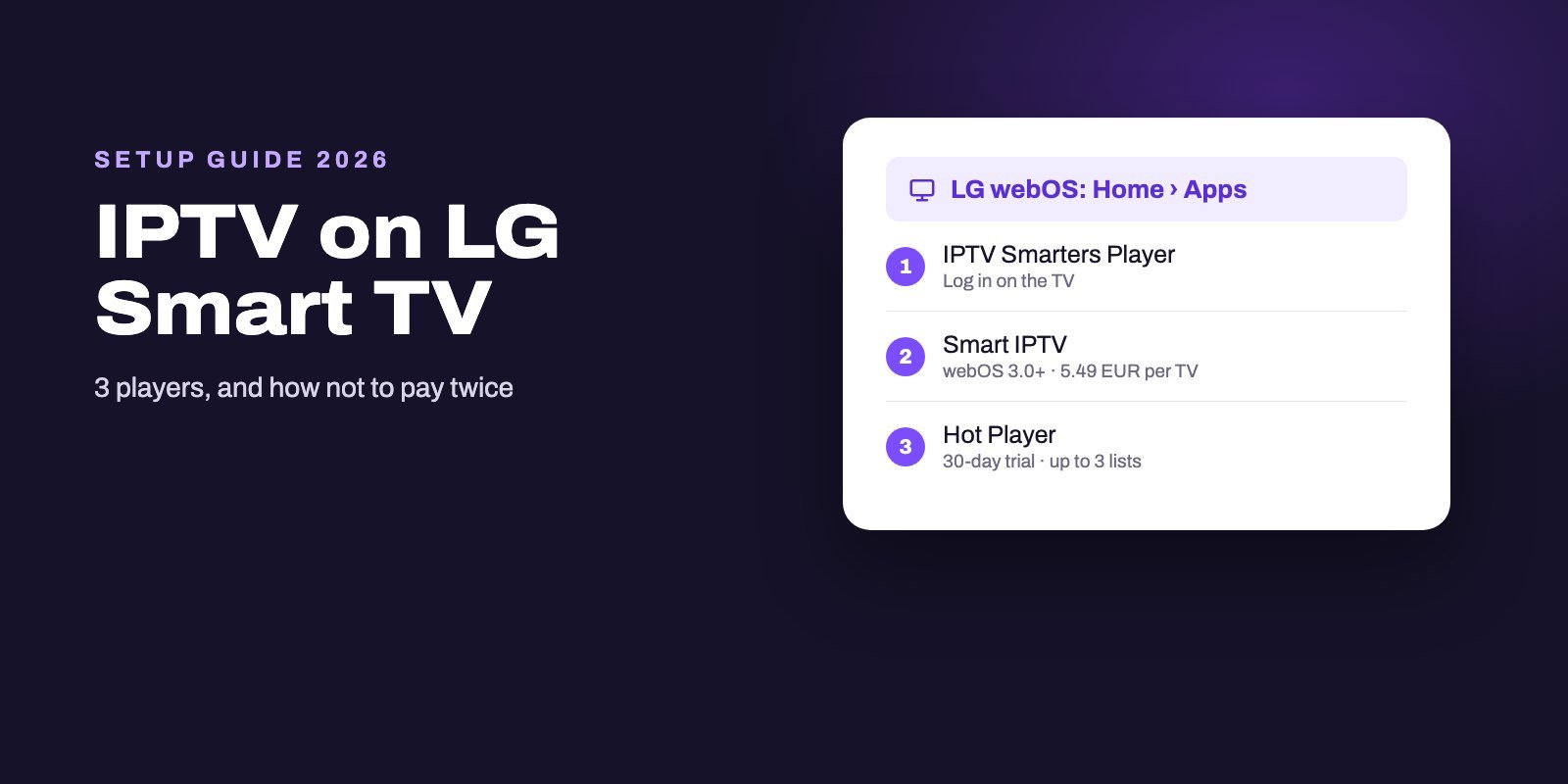
To watch IPTV on an LG Smart TV, sign in to your LG account, open Apps (or LG Content Store on older models), search for an IPTV player and install it, then add the M3U link or Xtream Codes login from your provider. The three players worth trying are IPTV Smarters Player, which its developer lists for the LG store, Smart IPTV for webOS 3.0 and newer, and Hot Player. Android apps such as TiviMate do not run on LG TVs.
On an LG, a player license belongs to the TV, not to you. Smart IPTV and Hot Player both charge per TV, tied to the set's MAC address, so a new television means a new license. Use the free trial on the exact TV you will watch on before you pay anything, and start with the player that logs in directly if you would rather not pay at all.
Note: Smart IPTV App is an IPTV provider, and we promote our own service on this page. The apps and devices mentioned here are made by independent companies.
Last checked: October 9, 2026, against LG support, getiptvsmarters.com, siptv.app and hotplayer.app; IBO Player on October 5. Menu names vary between webOS versions.
What works on an LG TV, and what does not
LG Smart TVs run webOS, LG's own system. It is not Android. The APK files and Downloader codes you see in Firestick tutorials do nothing here. Apps come from LG's store, which is called Apps on recent models and LG Content Store on older ones.
LG's developer site does describe a Developer Mode app, but it exists so developers can test the apps they are building. It is not a back door for installing IPTV players, and you do not need it for anything in this guide.
The good part is that the store has real IPTV players, and the TV decodes the streams itself. No box. No extra remote. Many LG models also have an Ethernet port, which gives you the most stable connection you can get.
One rule before you start. An IPTV player only plays what you give it, and the players in this guide include no channels, because those come from your IPTV subscription, a separate service.
Step 1: Sign in and install a player
LG asks you to sign in with an LG account before you download or update apps from its store. If you skipped that during setup, create the account on your phone or computer first, then sign in on the TV.
The install path depends on the age of your TV. LG's support page gives both versions.
Recent models (webOS 22 and later):
- Press the Home button on the remote and select Apps at the bottom of the Home menu.
- Press the search icon in the upper right corner.
- Type the name of the player and press Search.
- Select the app in the results, then Install on its detail screen.
- When the installation is complete, select Launch.
Older models (webOS 5.0, from 2020): the steps are the same, except that you select LG Content Store from the Home menu instead of Apps.
If your Home menu shows Apps, you are on the newer system, and if it shows LG Content Store, you are on the older one, which alone tells you which steps to follow.
The three players compared
| IPTV Smarters Player | Smart IPTV | Hot Player | |
|---|---|---|---|
| Listed for LG by | Its developer, getiptvsmarters.com | Its developer, siptv.app | Its developer, hotplayer.app |
| LG requirement | Available in the LG store | webOS 3.0 or newer (version 3.1.3) | Available in the LG TV Store |
| How you add channels | Log in on the TV | Upload on siptv.app with the TV's MAC | Upload on hotplayer.app with the TV's MAC |
| Cost | No fee listed on the developer's page | Trial, then 5.49 EUR once per TV | 30-day trial, then yearly or lifetime license per TV |
| Best for | Typing your login once and getting started | Long-term use on a recent TV | Several playlists on one TV |
Each of these three is pointed to by its own developer for LG TVs. That matters, because app stores often hold several apps with similar names, as we found on the Roku, Apple and Microsoft stores. Check the publisher on the app's detail screen before you install.
IPTV Smarters Player: log in and watch
The IPTV Smarters download page is explicit for LG owners: open LG Content Store or Apps on your TV, search for IPTV Smarters Player, select it and click Install. Note the name. On LG it is "IPTV Smarters Player", not "IPTV Smarters Pro".
Its big advantage: everything happens on the TV. No website, no MAC address to copy.
- Install IPTV Smarters Player as described above and open it.
- Choose to add a user with the Xtream Codes login.
- Enter any name for the profile, then copy in the server address with its
http://prefix and port, followed by your username and password. - Confirm and wait while the app loads channels, films and series. The first load can take a minute.
Typing a long server address with the Magic Remote takes patience. One wrong character is enough for a refusal, and if that happens, the "failed to authorize" checklist shows what to check.
Smart IPTV: the long-running choice for recent LG TVs
Smart IPTV has been around for years, and its official site shows a new version, 3.1.3, released for LG webOS 3.0 and newer on July 15, 2026, with channel and guide search, favorites editing and DRM support.
It works differently. You do not type your login on the TV. Instead:
- Install Smart IPTV from the LG store and open it. Note the MAC address the app shows.
- On a computer or phone, open the My List page on siptv.app.
- Enter the MAC address, then add your M3U link, or your Xtream username and password, and choose your guide country.
- Send it, then restart the app on the TV so it loads the list.
- In the app's settings, lock your MAC, as the developer recommends, so nobody else can replace your playlist.
The app runs as a trial first, and after that the developer charges a one-time activation of 5.49 EUR for each TV or device, stating plainly that the activation includes no channels. Its advice is worth repeating: do not pay before you have a working playlist to use.
Hot Player: for several playlists on one TV
Hot Player lists the LG TV Store among its platforms, next to Samsung, Roku and Google Play. It is a pure media player with no channels included, and it lets you keep up to three playlists and switch between them, which helps if more than one service is used in the house.
Setup follows the same website method as Smart IPTV:
- Install Hot Player from the LG store, open it and write down the MAC address.
- On your phone or computer, go to hotplayer.app and choose Upload List.
- Enter the MAC address and add your playlist with the details your provider sent.
- Restart the app on the TV.
The developer offers a 30-day free trial, then a yearly or a lifetime license, charged for each TV or device. Its own site currently shows two different sets of prices, so check the amount on the activation page at the moment you pay.
What about IBO Player?
IBO Player also works on LG TVs. When we checked iboiptv.com on October 5, 2026, it listed LG webOS among its compatible devices and ran as a 7-day trial before a paid license. Like Smart IPTV, it uses the TV's MAC address and a website to manage playlists.
Its FAQ adds a detail that applies to every MAC-based player: a TV has two MAC addresses, one for Wi-Fi and one for the network cable. If you switch from Wi-Fi to a cable, the app may show a different MAC, so register the one displayed after the switch.
Why your license belongs to the TV
This is the part people find out too late. Read it before you pay. Smart IPTV, Hot Player and IBO Player identify your TV by its MAC address, and Smart IPTV and Hot Player both describe their fees as per TV or per device. The license is tied to that television.
So a few practical rules follow:
- Test on the TV you will actually use. A trial on the bedroom TV says nothing about the living-room one, and paying for the wrong set means paying twice.
- Decide on cable or Wi-Fi before you activate, because the MAC the app shows can change when you switch.
- Two TVs means two licenses. Your IPTV subscription may cover several screens, but each MAC-based player is paid per TV.
- Replacing the TV means a new license. Budget for it, or use a player that logs in directly.
None of these fees are part of an IPTV subscription. They go to the app developers, and your subscription keeps running whatever happens to a player's license.
Common problems on LG TVs
The player is not in the store
It depends. App availability changes with the model, the webOS version and the country, and Smart IPTV, for example, needs webOS 3.0 or newer, according to the release notes on its own website. If none of the three players appears, your TV is probably too old for them, and a streaming stick in an HDMI port is the simplest fix. Our Firestick guide explains which models still allow IPTV apps.
The playlist does not load after uploading it
Check that you entered the MAC address exactly as the app shows it, then close the app completely and reopen it. If you changed from Wi-Fi to a cable since, the MAC may have changed too.
Channels buffer
Use the TV's Ethernet port if you can. Beyond that, the comparisons in our IPTV buffering guide show quickly whether the TV, the network or the server is at fault.
The guide is empty
With an Xtream login, the guide normally comes with it. With an M3U link, add your provider's EPG link, or in Smart IPTV pick the right guide country when uploading. Our IPTV EPG guide covers the rest.
LG or a streaming stick?
Does one of the three players run well on your LG? Then keep it. One remote, no extra box, and the TV's own network port: hard to beat for daily use.
A stick makes more sense when your LG is too old for the current players, when you want TiviMate, an Android TV app with no LG version, or when you would rather not pay a license per TV. Our setup guide for every device compares the options, and our Samsung Smart TV guide covers the same players on Samsung's system.
Keep the license for last
Because an LG player license stays with the TV, the order matters: subscription trial first, player license last. Ask for our free 24-hour trial, add it to IPTV Smarters Player, Smart IPTV or Hot Player on the LG you actually watch, and activate a license only once the channels and the guide behave.
Smart IPTV App, which is unrelated to the Smart IPTV player, sends its logins by WhatsApp or email, typically 5 to 15 minutes after payment, in Xtream Codes or M3U form. Up to four devices can use one plan at the same time. See the options on the IPTV subscription page.
Frequently asked questions
Can I watch IPTV on an LG Smart TV?
Yes. Install an IPTV player from the LG store, such as IPTV Smarters Player, Smart IPTV or Hot Player, and add the M3U link or Xtream login from your provider.
What is the best IPTV app for LG webOS?
IPTV Smarters Player if you want to log in directly on the TV, Smart IPTV for webOS 3.0 and newer if you prefer managing your list from a website, and Hot Player if you need several playlists.
Is IPTV Smarters Pro available on LG?
On LG the developer's app is called IPTV Smarters Player. Search for that exact name in Apps or LG Content Store.
Can I install TiviMate on an LG TV?
Not directly. LG TVs run webOS, while TiviMate is an Android TV app, so the way to get it is a Fire OS stick or a Google TV streamer in a free HDMI port.
How much does Smart IPTV cost on LG?
After the trial, it costs 5.49 EUR once for each TV or device, paid to the developer. That fee covers the app only, never channels.
Do I need an LG account to install IPTV apps?
Yes. LG asks you to sign in with an LG account to download or update apps from its store.
Can I move my player license to a new LG TV?
Usually not. MAC-based players such as Smart IPTV and Hot Player charge per TV or device, so a new TV needs a new license.
Why isn't IPTV Smarters working on my LG TV?
Check that you installed IPTV Smarters Player, the name its developer lists for LG, and that both the app and the TV software are up to date. Then re-enter the server address, username and password carefully. A refused login most often comes down to one wrong character or the wrong login type.