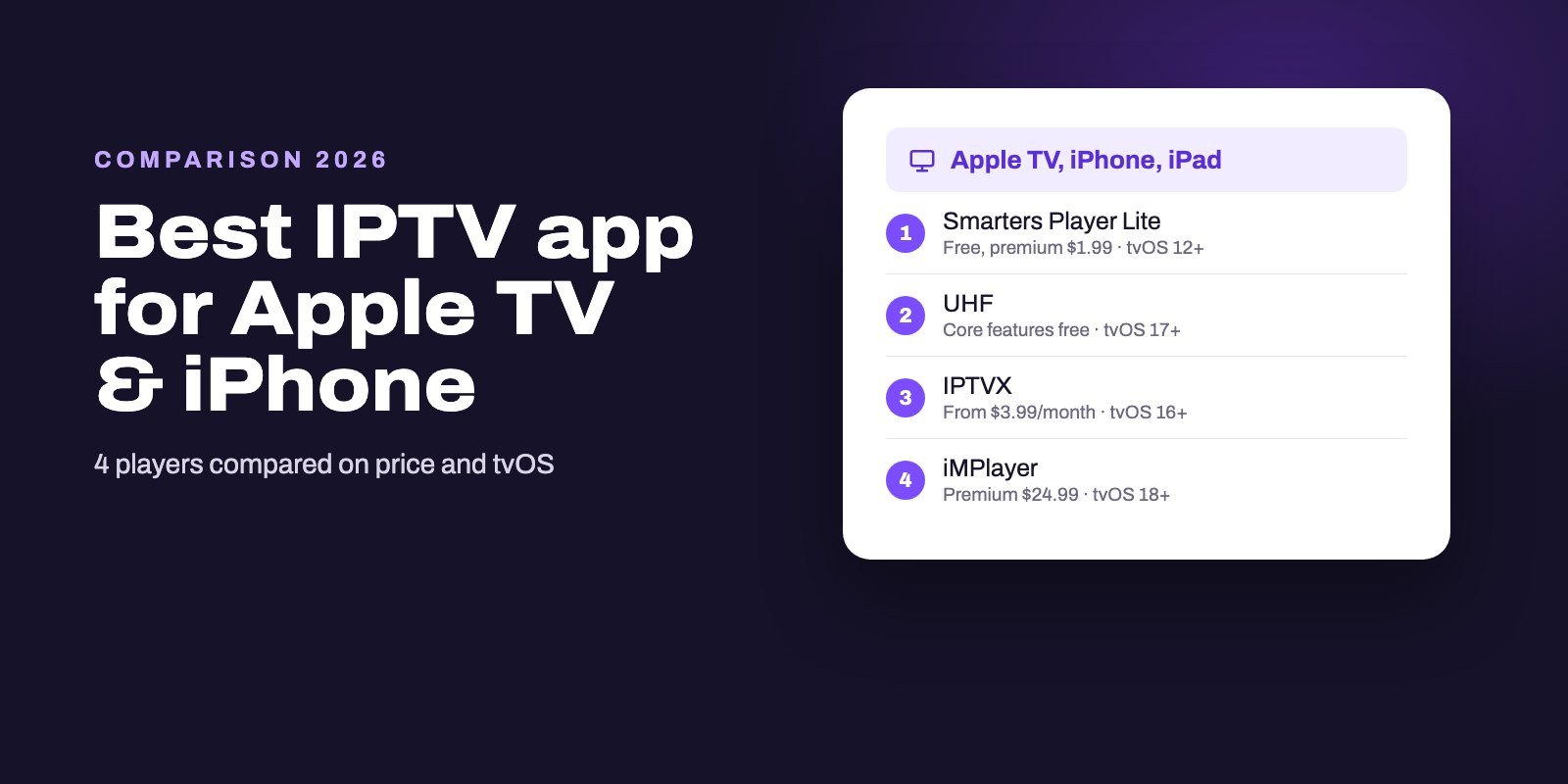
Smarters Player Lite is the best place to start on Apple devices. It is the Apple app the official IPTV Smarters site points to, runs on iPhone, iPad and Apple TV, and is free with a $1.99 premium upgrade. On a recent Apple TV, UHF keeps its core features free, IPTVX supports the widest range of sources with Dolby Vision and HDR, and iMPlayer adds catch-up and a full TV guide on iOS and tvOS 18. TiviMate does not exist for Apple devices.
On the App Store, the word "Free" tells you very little. Every player we checked charges inside the app, from a $1.99 one-off to subscriptions near $30 a year, and many share near-identical names. Compare the in-app prices, the developer and the tvOS version each app needs, and the choice gets much easier.
Note: Smart IPTV App is an IPTV provider, and we promote our own service on this page. The apps and devices mentioned here are made by independent companies.
Last checked: October 8, 2026, on the US App Store (developer, price, rating, compatibility and in-app purchases of every app below) and on Apple Support. Prices are in US dollars and can differ in your country.
The four players compared
| Smarters Player Lite | UHF | IPTVX | iMPlayer | |
|---|---|---|---|---|
| Developer | WHMCS Smarters | Short Wavelength Applications | Bending X | Horizon Applications (HzApps) |
| Price | Free, premium $1.99 | Core features free; $1.99/month, $17.99/year or $49.99 lifetime | From $3.99/month or $28.99/year | Free, Premium $24.99 |
| Apple TV needs | tvOS 12 or later | tvOS 17 or later | tvOS 16 or later | tvOS 18 or later |
| iPhone and iPad need | iOS 15.6 or later | iOS 16 or later | iOS 16 or later | iOS 18 or later |
| Sources it accepts | M3U and JSON playlists | M3U8, Xtream, Plex, Jellyfin, Emby | Xtream, M3U, M3U8, Plex, SMB | M3U and compatible platforms |
| Stands out for | Low price, huge user base | Free essentials, clean Apple TV design | Dolby Vision, HDR, iCloud sync | Catch-up and full TV guide |
| App Store rating | 4.8 (446,928 ratings) | 4.7 (2,629) | 4.4 (3,097) | 4.8 (2,471) |
Ratings and prices come from the US App Store on October 8, 2026. Ratings move, and a 4.8 from two thousand people is not the same as a 4.8 from four hundred thousand, so read the count next to the stars.
Why "free" means little on the App Store
Apple's own help page spells it out: a Get button means the app is free to download, and "some free apps offer in-app purchases and subscriptions that give you access to extra features". For IPTV players, that is the rule rather than the exception. All four apps in the table show a Get button. All four also sell something inside.
The models differ a lot. Smarters Player Lite asks $1.99 once for its premium version and iMPlayer asks $24.99 for Premium, while UHF and IPTVX run subscriptions and UHF adds a lifetime option at $49.99. Over two years, the gap between the cheapest and the most expensive choice is more than $50.
None of these prices include channels, because every player here is only a player: it shows what your IPTV provider gives you, and your subscription is a separate purchase.
1. Smarters Player Lite: the safe first choice
This is the Apple version of IPTV Smarters: the official download page lists it for iPhone, iPad and Apple TV under App ID 1628995509, published by WHMCS Smarters. On the App Store it is free, with a premium version at $1.99, and it carries a 4.8 rating from more than 446,000 people, by far the largest base of any IPTV player we looked at.
It reads M3U and JSON playlists, so you add your provider's M3U link and the app builds the channel list. It also has the widest device range of the four, since it needs only iOS 15.6 on an iPhone or iPad and tvOS 12 on an Apple TV, which means older models that cannot run the newer apps still work.
Watch the name. A search for "Smarters" on the App Store also returns Smarters Pro, IPTV Smarters Player, Smarters Pro IPTV Player and IPTV: Smarters Player Lite, published by four other companies. The one you want shows WHMCS SMARTERS under its name.
2. UHF: free essentials on a recent Apple TV
UHF is made by Short Wavelength Applications, which pitches it first and foremost as an Apple TV experience. Its developer states that the core playback and content tools are free, including search across all your playlists, while paid plans cost $1.99 a month, $17.99 a year or $49.99 once.
It accepts M3U8 links and Xtream logins, plus Plex, Jellyfin and Emby if you also keep your own media library. The limit is the hardware. UHF needs tvOS 17 on an Apple TV and iOS 16 on an iPhone or iPad, so check your version before you plan around it.
3. IPTVX: Dolby Vision, HDR and the most sources
IPTVX by Bending X supports the broadest set of sources in this list: Xtream logins, M3U and M3U8 playlists, Plex and SMB shares from a computer or a NAS. It handles Dolby Vision, HDR10 and HLG, syncs your data through iCloud so every Apple device shows the same lists and favorites, and offers multi-screen viewing.
That polish costs more than the others. The full version is sold by subscription: $3.99 for a month, $10.49 for three, $18.99 for six or $28.99 for a year, with a family-sharing yearly plan at $56. It needs tvOS 16 and iOS 16. If you own a recent Apple TV 4K and a TV that shows Dolby Vision, it is the one most likely to make use of both.
4. iMPlayer: catch-up and a full guide on the newest devices
iMPlayer comes from Horizon Applications, the same HzApps team behind iMPlayer on Android. Its listing promises catch-up support, video on demand, a full EPG guide and an interface you can customize. Premium is a single $24.99 purchase.
The catch is the system requirement. iMPlayer needs iOS 18 and tvOS 18, the highest of the four, so it rules out older iPhones and Apple TVs that the other apps still support. If you want a guide-first app and your device qualifies, it is the one to try first.
5. IBO-style players: check the publisher twice
Many people arrive on the App Store looking for IBO Player, because they use it on a smart TV. Several apps answer that search. One of them, ibo Pro Player, is published by IRBOETECH and asks $9.99 for activation, and the store suggests other apps called "IBO PLAYER" and "Ibo Player Pro" next to it.
We are not saying any of them is bad. We are saying the name does not tell you who made it. If you already pay for an IBO license on another device, check on the developer's own website which App Store listing belongs to them before you pay a second time.
Which one should you pick?
- You want to start today and spend almost nothing: Smarters Player Lite.
- You have an Apple TV on tvOS 17 or later and want a polished free app: UHF.
- You care about Dolby Vision and HDR, or you also stream from Plex or a NAS: IPTVX.
- You live in the TV guide and use catch-up, on iOS or tvOS 18: iMPlayer.
Not sure which tvOS your Apple TV runs? Open Settings, then General, then About. The same idea works on an iPhone or iPad under Settings, General, About.
And whichever app you choose, test it with a real login before paying for premium. Two players can treat the same stream very differently.
How to install and set up an IPTV app on Apple TV
Apple's instructions for downloading apps are short:
- Open the App Store app on the Apple TV.
- Browse or search for the player, then open its page and check the developer name.
- Select Get. If you see Open instead, the app is already installed.
Then add your IPTV login inside the app:
- With Xtream Codes (in UHF and IPTVX, for example): choose the Xtream option and fill in the server address (keep the
http://and the port number), followed by the username and password. - With an M3U link (in Smarters Player Lite, for example): choose to add a playlist and paste the link. Typing a long address with the Siri Remote is tedious, so if a keyboard notification appears on your iPhone, type there instead.
The first load can take a minute or two while the app reads the channel list and the guide, so leave it alone until it finishes.
Setting up on iPhone and iPad
The steps are the same as on the Apple TV. All four apps list iPhone, iPad and Apple TV on the same App Store page, so you install the same app on each device with your Apple ID. Three habits make life easier:
- Copy, don't type. Copy the M3U link or the server address from WhatsApp or your email and paste it. Logins are case sensitive.
- Watch mobile data. Live TV uses a lot of it. Stay on Wi-Fi when you can.
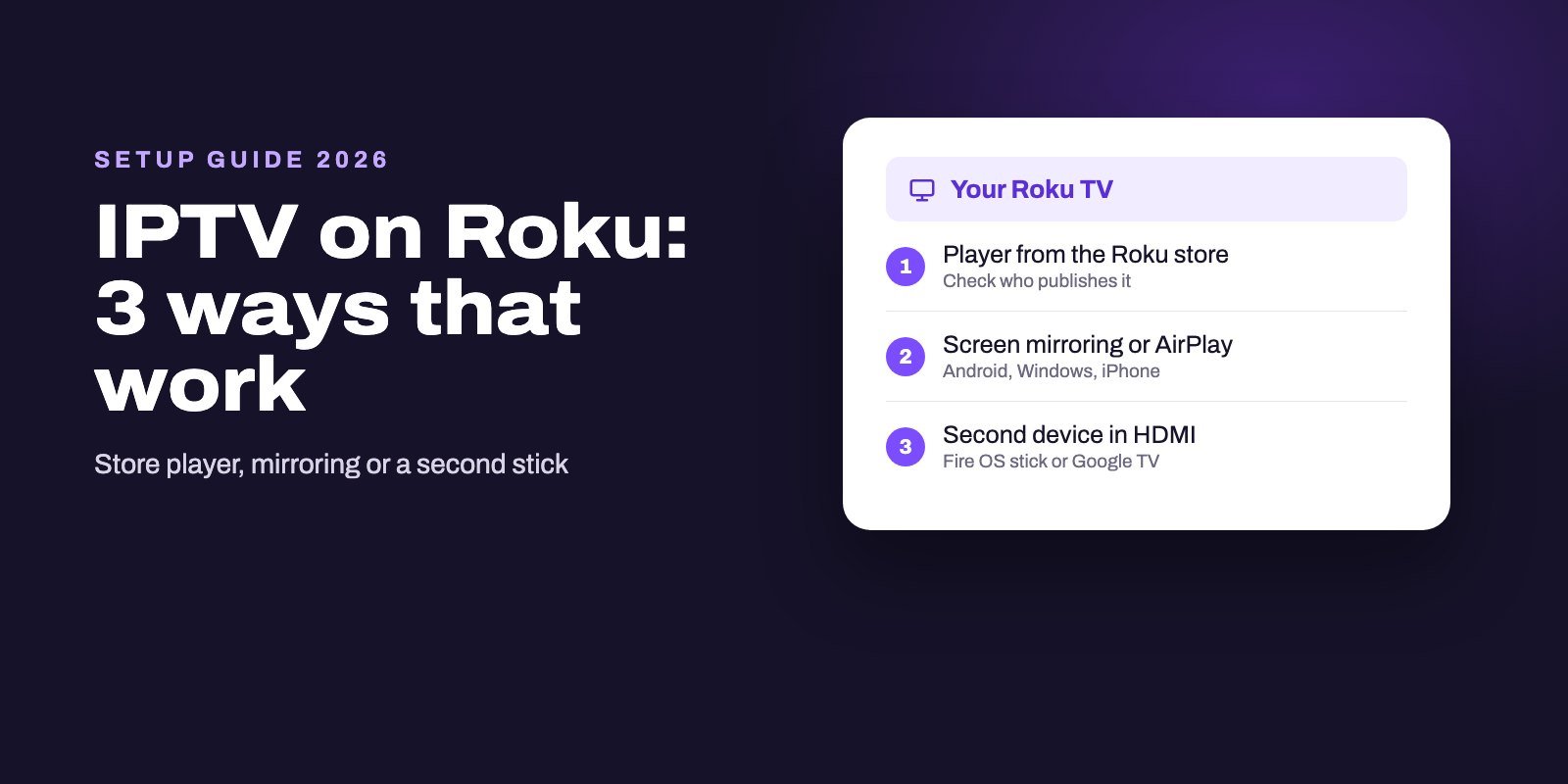
- Use AirPlay as a backup. From an iPhone or iPad you can send the picture to an Apple TV, or to a compatible Roku as our guide to IPTV on Roku explains.
What to test before you pay for premium
A free download gives you time to judge a player properly, and a trial login from your provider gives you something real to play. Use that window well. Here is what we would check, in this order, on the device you will actually watch on:
- Loading. Add the login and time how long the channel list and the guide take the first time, then the second time.
- Zapping. Switch between ten channels in a row with the remote. Some players take a second or two each time, others feel instant, and over a whole evening that difference matters more than any feature list.
- The guide. Open it, scroll a few hours ahead and check that the times match your time zone.
- A live match. Watch a busy live channel for twenty minutes in the evening, when home networks are most loaded, and note any freezes.
- Films and series. Start one, stop it, come back the next day. Does the app remember where you were?
If a player fails two of those five, try the next one on the list. Switching costs nothing but a few minutes.
Common problems on Apple devices
The app will not install
Check the requirement on the App Store page. An Apple TV on an older tvOS cannot install UHF, IPTVX or iMPlayer, while Smarters Player Lite only needs tvOS 12.
The login is refused
Copy the details again, character by character, and check that you chose the right login type. Our guide to the "failed to authorize" error walks through every cause, and they are the same in Apple players.
Channels buffer
An Apple TV with an Ethernet port can use a cable, which removes Wi-Fi from the equation. If that is not an option, our buffering troubleshooting guide helps you find the weak link in a few quick comparisons.
The TV guide is empty
The guide comes from your provider's EPG. Our IPTV EPG guide explains how players match it to your channels and how to fix a blank or shifted grid.
One plan for the iPhone and the Apple TV
If you watch on both an iPhone and an Apple TV, one plan can cover the two: each of ours allows up to four devices at the same time. We send Xtream Codes details or an M3U link, which all four players accept, to your WhatsApp or inbox within a quarter of an hour of payment.
Keep your money in your pocket until the trial is over. Ask for our free 24-hour trial, set it up in Smarters Player Lite or UHF, and buy a premium upgrade only if the free version leaves you wanting more. Plans are on the IPTV subscription page, and our setup guide for every device covers the other screens.
Frequently asked questions
What is the best IPTV app for Apple TV?
For a first install, Smarters Player Lite: it is the app the official IPTV Smarters site lists, works from tvOS 12 and costs $1.99 for premium. On tvOS 17 or later, UHF is a strong free alternative, and IPTVX suits Dolby Vision and HDR setups.
Is there a free IPTV app for iPhone?
Yes. Smarters Player Lite and UHF are free to download and usable without paying, though both sell upgrades. No player includes channels; you still need an IPTV subscription.
Is TiviMate available on Apple TV or iPhone?
No. TiviMate only exists for Android-based devices. On Apple hardware, iMPlayer and UHF are worth a look if you want a full TV guide, on recent tvOS versions.
Is IPTV Smarters Pro on the App Store?
The developer's Apple app is called Smarters Player Lite, published by WHMCS SMARTERS. Apps named Smarters Pro or IPTV Smarters Player on the App Store come from other companies.
Can I use one IPTV app on my iPhone and my Apple TV?
Yes. The four players compared here are available for iPhone, iPad and Apple TV. Each screen watching at the same time counts toward your IPTV plan's device limit.
Why won't an IPTV app install on my Apple TV?
It probably needs a newer tvOS. Check Settings, General, About on the Apple TV and compare with the requirement on the App Store page.
Do I need to pay for an IPTV player on Apple?
Not always. Smarters Player Lite and UHF work without paying, but premium features cost from $1.99 once to about $29 a year depending on the app.
Is Apple TV or Firestick better for IPTV?
A Fire OS stick runs TiviMate through the Downloader app, but some new Amazon sticks run Vega OS and block IPTV players entirely. An Apple TV only installs from the App Store, where players such as Smarters Player Lite, UHF and IPTVX sell upgrades inside the app. Pick the stick for TiviMate, the Apple TV if your household already uses Apple devices.