To watch IPTV on VLC, open the player's network stream option (Media, then Open Network Stream on Windows), paste the M3U link from your IPTV provider and press Play. VLC loads the channel list as a playlist, and you pick a channel from it. It works on Windows, Mac, Linux, Android, Android TV and iPhone, it is free, and it needs an M3U link, because VLC cannot sign in with Xtream Codes details.
VLC is the best free tool for checking an IPTV link and a poor choice for watching IPTV every night. It has no TV guide grid, no Xtream login and no channel categories, but it plays almost any stream. Use it as a test bench: if a channel plays in VLC, the stream is sound, and any problem elsewhere lives in the other app.
Note: Smart IPTV App is an IPTV provider, and we promote our own service on this page. The apps and devices mentioned here are made by independent companies.
Last checked: October 11, 2026, against videolan.org, the VLC desktop documentation, the VideoLAN wiki and the official Android and iOS pages. Menu names can shift slightly between versions.
What VLC can and cannot do with IPTV
VLC comes from VideoLAN, a non-profit project, and its official page sums up the appeal: free and open source, available on every major system, able to play most files and "various streaming protocols", with no spyware, no ads and no tracking. An IPTV channel is just another network stream to it.
That strength is also the limit. VLC treats your IPTV service as a list of links, nothing more:
- It reads M3U playlists. Paste one link and every channel in it appears in VLC's playlist.
- It cannot use an Xtream Codes login. There is no screen for a server, a username and a password.
- It has no TV guide grid. You see channel names, not what is on now and next.
- It has no channel categories in the IPTV sense. A playlist of thousands of channels becomes one long list.
For one channel, or for a quick test, none of that matters. For a family evening of zapping, all of it does.
Get VLC from the official source
| Device | Version on the official page | Where to get it |
|---|---|---|
| Windows | 3.0.24 (43 MB), plus a Windows ARM build | videolan.org |
| Mac | 3.0.24, Universal and Apple Silicon builds | videolan.org |
| Linux | 3.0.24 | videolan.org or your distribution |
| Android, Android TV, Chromebook | 3.7.0, Android 4.2 or later | Google Play or the APK on VideoLAN's mirrors |
| iPhone, iPad | iOS 9.0 or later | App Store, published by VideoLAN |
On Android, the Google Play listing is published by Videolabs, counts more than 500 million installs and carries Google's Editors' Choice badge. The Android download page confirms support for Android TV and Chromebooks. On Apple devices, the iOS page lists network streams in HLS, MMS and RTSP among the features. Anything called "VLC IPTV" or "VLC Pro" from another publisher is not VideoLAN's player.
Watching IPTV on VLC for Windows
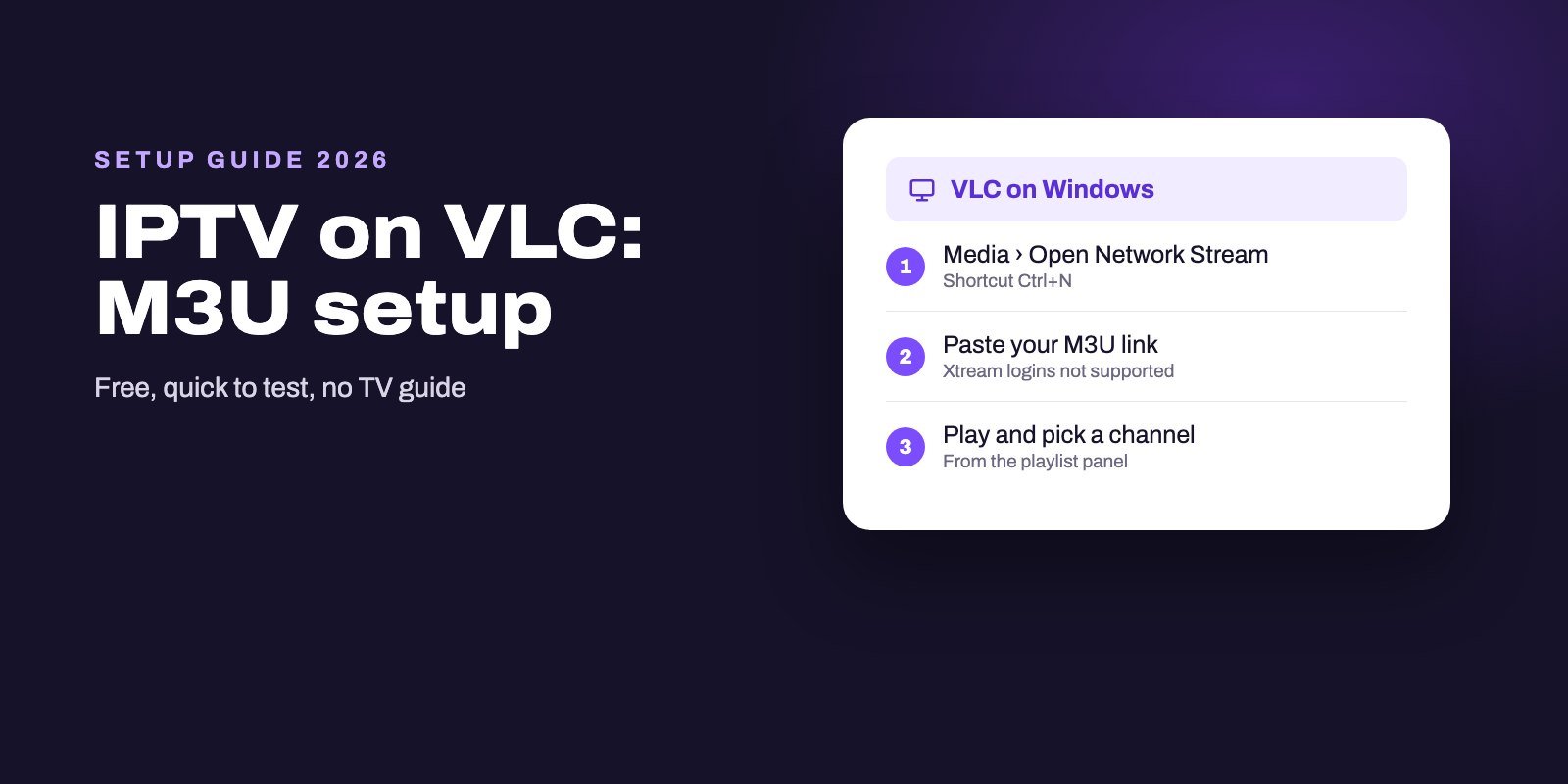
- Open VLC and click Media in the menu bar, then Open Network Stream. The VideoLAN wiki gives the shortcut Ctrl+N for the same window.
- In the Network tab, paste the M3U link from your provider into the URL box.
- Click Play. VLC reads the playlist and starts the first entry.
- Open the playlist panel to see every channel, then double-click the one you want.
Received a file ending in .m3u rather than a link? Then skip the network window. Open the Media menu, choose Open File and select it, or simply drag the file onto VLC's window, which the VideoLAN documentation describes as an equivalent way to open media. The channels land in the playlist exactly as they would from a link.
A tip for slow starts: the same dialog has a Show more options box. Tick it and you reach a Caching value, the amount of stream, in milliseconds, that VLC stores before playback begins. A higher value means a slightly later start and fewer pauses on a shaky connection, as the VLC documentation explains for any network stream.
On a Mac
VLC for Mac does the same job, with menus arranged in the macOS style. Look for the option to open a network stream, paste the M3U link, and start playback. Download the build that matches your Mac from the official page: Apple Silicon for M-series machines, Universal for anything else.
If macOS warns you on first launch, check that the file came from videolan.org before you allow it in System Settings.
On Android phones, Android TV and Chromebooks
Install VLC for Android from Google Play, or from VideoLAN's mirrors if your device has no store. In the app, find the option to open a network stream, paste the M3U link and play it. Menu labels vary a little between phone and TV layouts, but the stream option is part of the app's core features on both. On a Chromebook, the same Android app runs too, since VideoLAN lists Chromebooks among the supported devices, which turns a school or work laptop into a handy IPTV tester.
On an Android TV box, typing a long link with the remote is the slow part. Keep the link open on your phone and type it character by character, then check it twice before pressing Play. For daily viewing on a TV box, a dedicated player such as TiviMate is far more comfortable, as our Android TV app comparison shows.
On iPhone and iPad
VLC on the App Store is published by VideoLAN and costs nothing. Open its network section, enter the stream address, and play. The iOS version handles HLS streams, a common format for IPTV channels, so a single channel link often plays straight away.
A whole playlist on a phone screen is less friendly. If you watch IPTV on Apple devices regularly, our comparison of Apple IPTV apps covers players with a guide and categories, such as Smarters Player Lite and UHF.
VLC or a dedicated IPTV player?
| VLC | Dedicated IPTV player | |
|---|---|---|
| Price | Free, no ads | Free to paid, depending on the app |
| Login types | M3U link or single stream address | Xtream Codes and M3U, sometimes more |
| TV guide | None | Program grid when the provider supplies EPG data |
| Channel groups and favorites | One flat playlist | Categories, favorites, search |
| Best use | Testing a link, one-off viewing | Watching every day |
The comparison is not really a contest, because the two tools answer different questions: VLC tells you whether a stream works at all, while a dedicated player makes a working service pleasant to use night after night, with a guide that shows what is on, groups that hide the hundreds of channels you never watch and favorites that bring the five you do to the top. Plenty of users keep both installed, and there is nothing wrong with that.
Can VLC play Xtream Codes IPTV?
Not directly. VLC has no login screen, so a server address, a username and a password have nowhere to go. What VLC needs is the M3U version of the same account: one long link that already contains your credentials. Ask your provider for it; Smart IPTV App sends both formats with every plan.
Treat that link like a password. Anyone who has it can use your subscription, so do not paste it into public forums or share it in screenshots.
Why is IPTV not working in VLC?
When VLC refuses a link, the reason is usually one of these.
- A broken link. A missing character, an extra space at the end, or a link copied from a web page instead of the raw address. Paste it again from the original message.
- An expired or suspended account. If the subscription has ended, the playlist no longer opens. Check with your provider.
- Too many screens. If your plan allows one device and the account is already playing elsewhere, the stream can refuse to start.
- A slow or unstable connection. Raise the caching value under Show more options, move closer to the router or use a cable.
- One dead channel. If the list loads but a single entry stays black, that stream is down; report it.
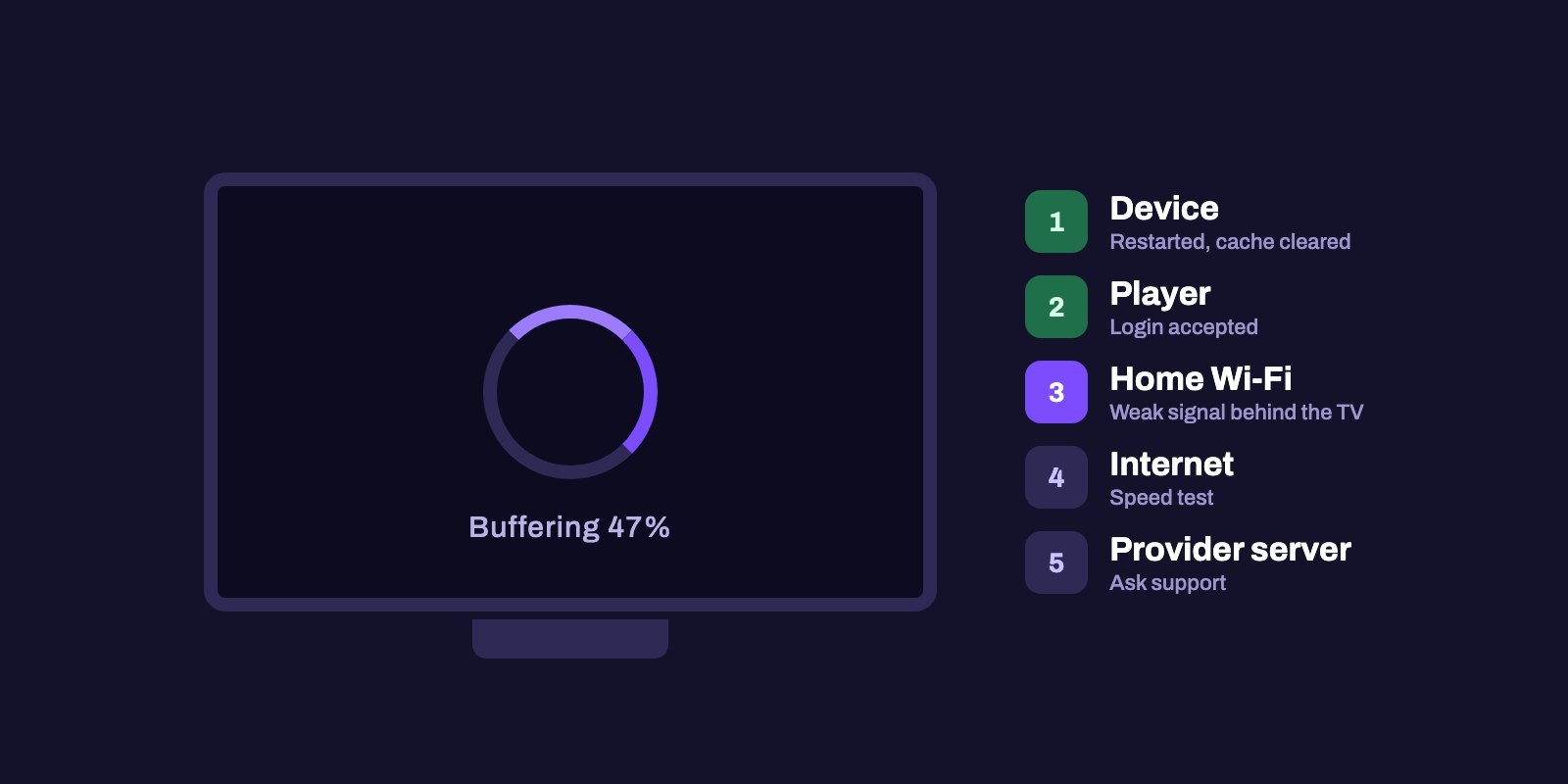
When the cause is not obvious, our IPTV troubleshooting guide helps you separate a device problem from a network or server one.
Using VLC as a test bench
This is where VLC earns its place on an IPTV user's computer. Your usual player shows a black screen on a channel? Open the same channel in VLC. If it plays there, the stream itself is healthy, and the fault lies in the other app's settings, its cache or its version. If it fails in VLC too, the problem sits upstream: the link, the account or the server.
Providers find that distinction useful as well. "It does not play in VLC either" is a far clearer message for a support team than "my app does not work".
Testing a single channel instead of the whole list
A full playlist can hold thousands of entries, and loading it on a slow device takes a while. Some providers will give you the direct address of one channel on request, which is the fastest possible test: paste that single address into VLC's network stream box, press Play, and within a few seconds you know whether the account, the server and your connection work together.
It is also the cleanest way to compare devices. Play the same single channel in VLC on your computer and on your TV box, at the same time of the evening, and the difference, if there is one, comes from the device or the Wi-Fi in that room rather than from the service. Short. Precise. Free.
When to move to a real IPTV player
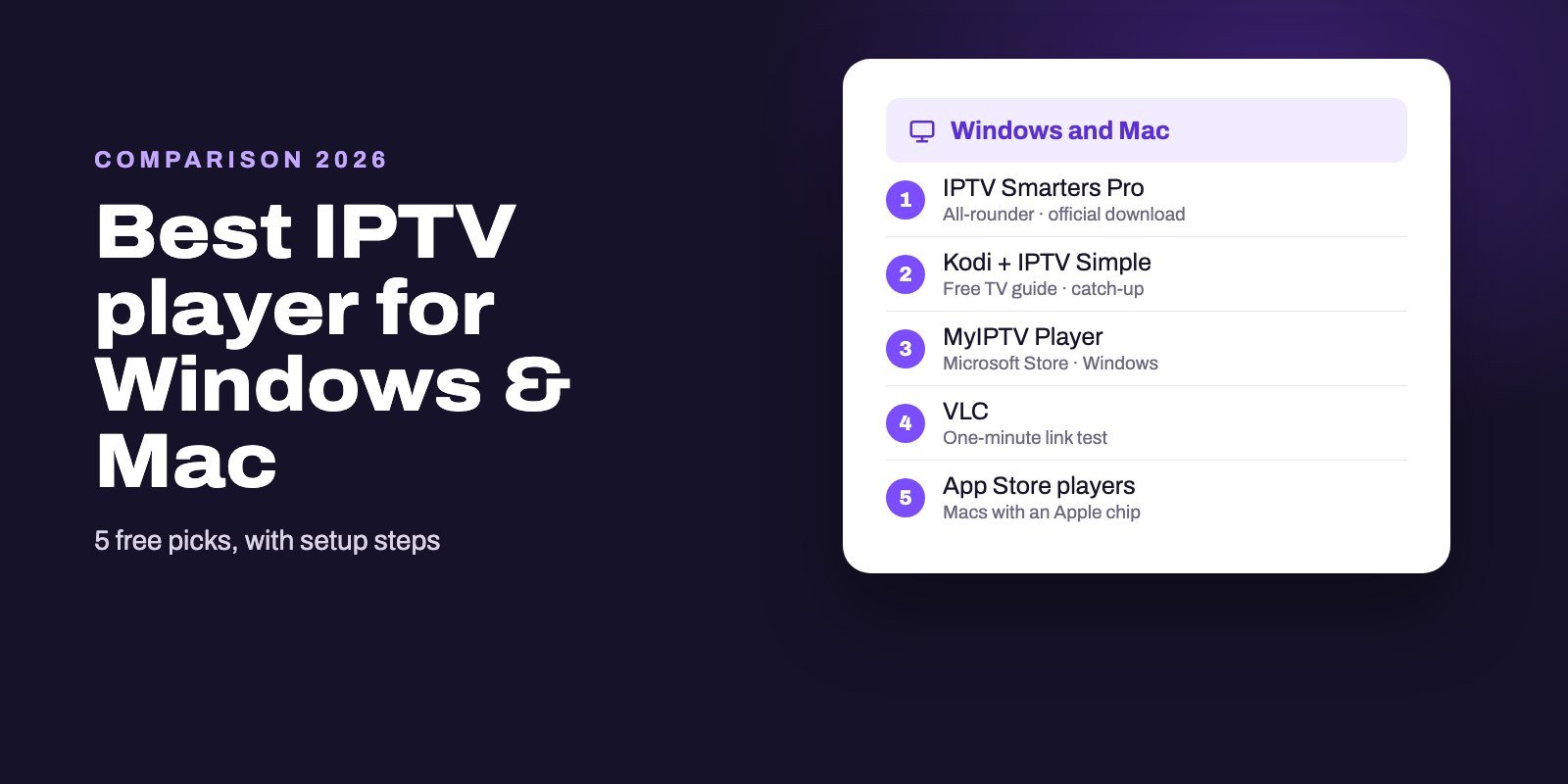
Keep VLC for tests and for the odd single channel. Move to a dedicated player as soon as you want a guide, categories, favorites or an Xtream login. On Android TV and Fire OS sticks, TiviMate is our first choice for live TV. Across Android, Windows and Mac, IPTV Smarters Pro covers films and series as well, and our Windows and Mac player guide adds Kodi, which brings a full program grid for free. The TV guide itself works the same way in all of them, as our EPG explainer describes.
Test VLC with a working link
A player can only be judged with a stream that works. Smart IPTV App includes an M3U link, the format VLC needs, alongside an Xtream login for your other devices in every plan. Try it with our free 24-hour trial: paste the link into VLC, check a few channels, then load the same account into a full player. Once you buy, your details come through WhatsApp or email within a quarter of an hour, and every plan can run on up to four screens. Plans are on the IPTV subscription page.
Frequently asked questions
Can VLC play IPTV?
Yes. Open a network stream in VLC, paste the M3U link from your IPTV provider and press Play. VLC lists the channels as a playlist.
Can VLC use an Xtream Codes login?
No. VLC has no login screen. Ask your provider for the M3U link of the same account and paste that instead.
Does VLC show a TV guide for IPTV?
No, VLC has no guide grid. For a schedule, use an IPTV player such as TiviMate, IPTV Smarters Pro or Kodi with IPTV Simple.
Is VLC free?
Yes. VideoLAN describes VLC as free and open source, with no ads and no user tracking, on Windows, Mac, Linux, Android and iOS.
Does VLC work on Android TV?
Yes. VideoLAN's Android page lists Android TV support, and the app is on Google Play, published by Videolabs.
Why does IPTV buffer in VLC?
Usually because of the connection. Raise the caching value under Show more options in the network stream window, and check your Wi-Fi.
How do I open an M3U file in VLC?
Open the Media menu, choose Open File and select the file, or drag it onto VLC's window. The channels then appear in the playlist.
Which VLC version should I download on a Mac?
The Apple Silicon build for Macs with an M-series chip and the Universal build for other Macs, both from videolan.org.
Is it safe to share my M3U link?
No. The link contains your login, so anyone who has it can use your subscription. Keep it private.