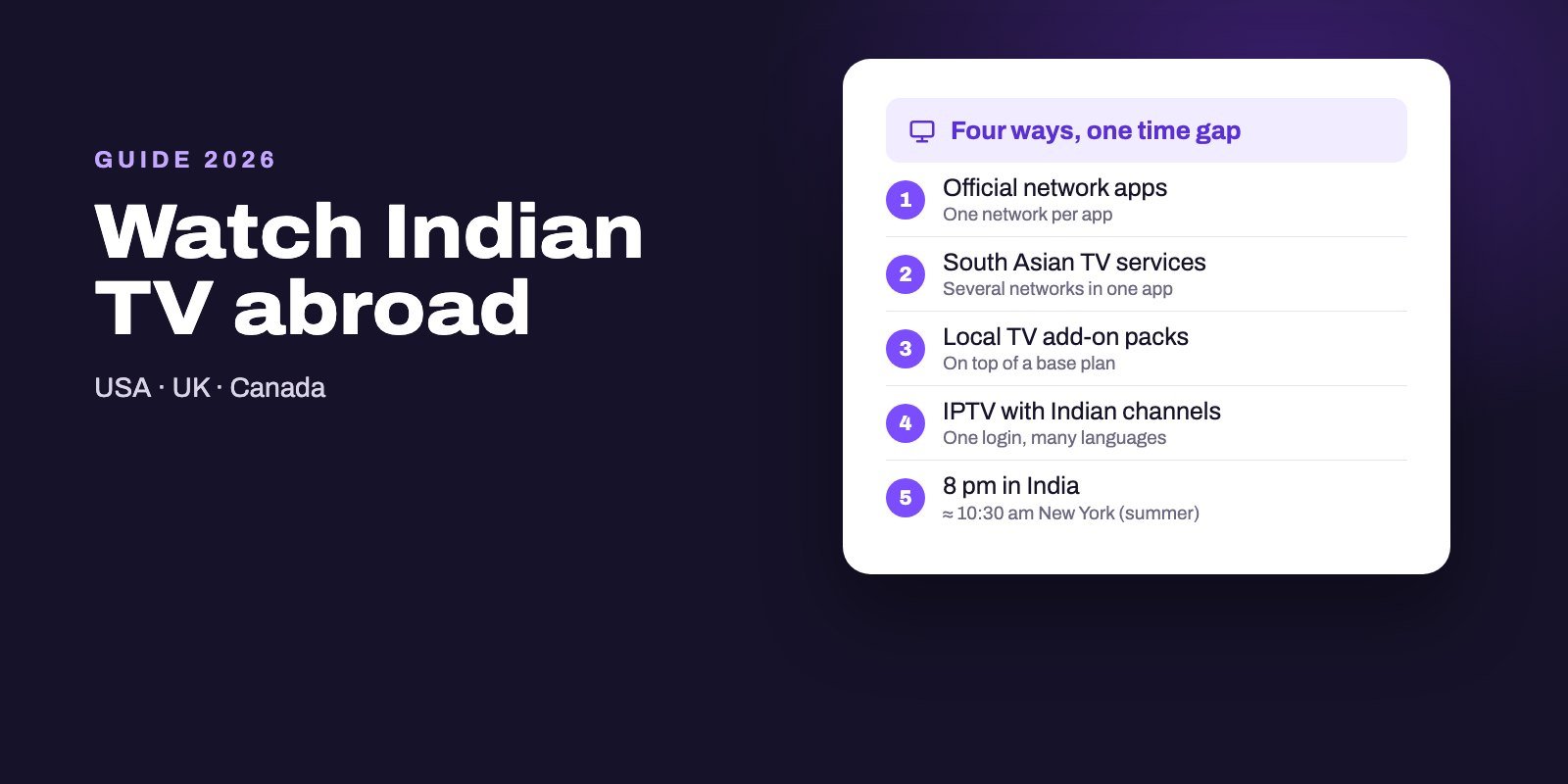
There are four ways to watch Indian TV channels from the USA, the UK or Canada: the official streaming apps of Indian networks, specialist South Asian TV services that group several networks in one app, international add-on packages from local TV providers, and IPTV subscriptions that include Indian channels alongside everything else. A few channels also stream live for free online, mostly news. The right choice depends on how many networks and languages your family watches.
Here is the rule that saves the most money: if you follow one network, pay for that network's own app; if the household wants Hindi serials, regional channels, news and cricket together, one bundle beats a stack of separate subscriptions. And whichever you choose, plan around the time difference, because India's evening shows air during your morning.
Note: Smart IPTV App is an IPTV provider, and we promote our own service on this page. The apps and devices mentioned here are made by independent companies.
Last checked: October 12, 2026. Time differences are calculated for New York, Toronto, Los Angeles and London across summer and winter time. We do not name individual channels or services; availability of each option varies by country and changes often.
The four main options at a glance
| Option | What you get | Typical drawback | Best for |
|---|---|---|---|
| Official network apps | One network's shows on demand, sometimes its live channel | One app and one bill per network | Households that follow one or two networks |
| Specialist South Asian services | Several Indian networks in one app | Line-ups differ, regional channels vary | Families who want a ready-made Indian package |
| Add-on packages from local TV providers | Indian channels added to an existing cable, satellite or streaming plan | You pay for the base plan too | People who keep traditional TV anyway |
| IPTV subscription with Indian channels | Indian channels next to international, sports and film channels, one login on several devices | Quality depends on the provider; test first | Mixed households and multiple languages |
Free options sit outside the table because they rarely cover more than a handful of channels, mostly news, but they are worth knowing and come up further down.
Option 1: the networks' own streaming apps
Most large Indian TV networks run their own streaming service, available in app stores in the USA, the UK and Canada. You install the app, subscribe, and watch that network's serials, films and shows on demand, often soon after they air in India. Some apps also carry the live channel.
The appeal is simplicity: one official source, decent quality, and usually apps for phones, smart TVs and streaming sticks. The catch is arithmetic. Families rarely watch a single network, and three or four network apps add up quickly, each with its own login and its own interface. Regional-language channels are also spread across different networks, so a Tamil viewer and a Hindi viewer in the same home may need different apps.
If one network covers almost everything you watch, start here. It is the cleanest answer to a narrow need.
Option 2: specialist South Asian TV services
Several services specialize in Indian and wider South Asian television for families abroad. They bundle live channels and on-demand shows from multiple networks into one app, often with packages per language: Hindi, Tamil, Telugu, Malayalam, Punjabi, Bengali and more.
Before you subscribe, look closely at three things. Which networks are actually included, because line-ups change when contracts change. Which regional languages are covered, since some packages are strong in Hindi and thin elsewhere. And which devices the app supports, because not every service has an app for every smart TV or streaming stick.
For a household that only wants Indian television, this is often the most comfortable route.
Option 3: add-on packages from local TV providers
In all three countries, some cable, satellite and live streaming providers sell international add-ons, including South Asian packages, on top of a regular plan. It suits people who want to keep traditional TV for local channels and simply add an Indian package to the same box and bill.
The trade-off is the base plan. You pay for the local channels first, then the add-on, and the Indian selection is usually smaller than a specialist service's. Check the exact channel list with the provider in your area before signing, since packages differ from one region to the next.
Option 4: an IPTV subscription with Indian channels
An IPTV subscription delivers live channels over your internet connection to an app on your TV, stick, phone or computer. Many services, ours included, carry Indian channels as part of a much larger line-up, so the same login brings international channels, sports and films for the rest of the family.
That breadth is the main reason families choose it: one subscription for a parent who wants Hindi serials, a teenager who wants football and a partner who watches channels from another country entirely, on up to several screens at once. It also works with the TV guide and, where the provider supports it, catch-up, which matters a great deal because of the time difference.
The other side is that quality depends on the provider. Test before you pay: check the specific channels you care about, in the evening, on the device you will use. Our TiviMate guide and Android TV app comparison cover the apps that work best.
Free ways to watch some Indian channels
A few Indian channels, news in particular, stream live for free on their official websites and video channels, and some free, ad-supported streaming apps include a small selection of Indian content. These are worth a look if you only want headlines or the occasional show.
Two warnings, though. Free coverage is narrow: serials, cricket and regional entertainment are rarely available this way. And beware of "free Indian IPTV playlists" posted on forums and code-sharing sites. They are not official, they break constantly, and you have no idea who is behind them.
Plan around the time difference
India runs on one time zone, India Standard Time, five and a half hours ahead of UTC, with no daylight saving. That makes the gap with you change twice a year:
| Where you live | Behind India (summer) | Behind India (winter) | 8 pm in India is… |
|---|---|---|---|
| New York, Toronto | 9 h 30 | 10 h 30 | 10:30 am in summer, 9:30 am in winter |
| Los Angeles | 12 h 30 | 13 h 30 | 7:30 am in summer, 6:30 am in winter |
| London | 4 h 30 | 5 h 30 | 3:30 pm in summer, 2:30 pm in winter |
In North America, India's prime-time serials land in the morning, and a live cricket match can start in the middle of your night. That is why catch-up and recording are not luxuries for Indian viewers abroad, they are the whole point. When you compare services, ask how many days back catch-up goes on the channels you watch, and whether the TV guide shows times in your local zone. Our catch-up and recording guide explains how both work.
Watching on your TV: devices that work
Whichever option you choose, the device decides how pleasant it is. Android TV and Google TV boxes run the widest range of apps, including the main IPTV players, and our IPTV box comparison lists the best ones. Fire TV sticks running Fire OS work too, as our Firestick guide explains, but avoid the newest Vega OS models if you plan to use IPTV apps.
Smart TVs from Samsung and LG run a narrower set of apps, so check that your chosen service has one before paying. Roku is the most limited of all for IPTV, with workarounds explained in our Roku guide. A cheap Android TV stick in a spare HDMI port often solves every compatibility problem at once.
What to check before paying for any Indian TV service
- Your languages. Ask for the channel list in each language your family watches, not just Hindi.
- Catch-up depth. With a 9 to 13 hour gap, the number of days you can go back matters more than almost anything else.
- Guide times. The program guide should show your local time; our EPG explainer covers how to fix shifted times.
- Screens at once. Count how many people watch at the same time and choose a plan that covers them.
- A real trial. Test in your evening and in India's evening, which is your morning, on the channels you actually watch.
- Support you can reach. A service that answers on WhatsApp or by email when a channel drops is worth more than a few dollars saved.
Setting it up for parents and grandparents
In many families, the person who most wants Indian television is the one least comfortable with apps and logins. A little preparation makes all the difference. Choose one device for their TV, ideally a box with a simple remote, and set it up yourself before handing it over. Add only the playlist they need, hide the channel groups they will never use, and mark their favorite channels so they appear first.
Then think about the screen. Look in the player's settings for layout and display options, since several players let you adjust how the guide looks, and make sure it shows local times, which avoids confusion over when a serial starts. Write the three steps they will repeat, turn on, open the app, pick a favorite, on a card next to the TV. Finally, keep their login details somewhere you can reach them, so you can fix a problem from your own phone instead of over a long phone call.
USA, UK or Canada: what changes
The four options exist in all three countries, but the details differ. App availability varies by country store, add-on packages depend on the providers operating in your area, and the time difference is much smaller in the UK, where Indian prime time falls in the afternoon. UK viewers can often watch live, while North American viewers lean on catch-up.
Internet speed matters everywhere. A stable connection, ideally a cable to the TV box, makes more difference to picture quality than the choice between two services.
Try Indian channels with Smart IPTV App
Indian channels are part of the Smart IPTV App line-up, alongside international, sports and film channels, and every plan includes both Xtream and M3U logins, so it works in any player. Our Indian IPTV page details the plans. Tell us the languages your family watches and we will point you to the matching channels, then check them yourself with our free 24-hour trial, ideally across India's evening. Plans cover one to four screens and your details arrive by WhatsApp or email within minutes of payment. Country pages for the USA, the UK and Canada list prices in detail, and all plans are on the subscription page.
Frequently asked questions
What is the best way to watch Indian TV in the USA?
It depends on how many networks you watch. One network: its official app. Several networks and languages: a specialist South Asian service or an IPTV subscription that includes Indian channels.
Can I watch Indian TV channels for free in the USA?
Some news channels stream live for free on their official sites and video channels, and a few free apps carry Indian content. Serials, cricket and regional entertainment rarely come free.
How do I watch Indian channels on a Firestick?
Install the app of the service you choose. Official apps usually come from the Amazon Appstore, while IPTV players such as TiviMate install through the Downloader app on Fire OS models.
What time do Indian shows air in the USA?
India is 9 h 30 to 10 h 30 ahead of New York and Toronto, and 12 h 30 to 13 h 30 ahead of Los Angeles, depending on daylight saving. An 8 pm show in India airs around 9:30 to 10:30 am on the US East Coast.
Can I watch Indian channels on a Roku?
Some official and specialist services offer Roku apps. IPTV players are limited on Roku, so a Google TV or Fire OS stick in a spare HDMI port is often the easier route.
Are free Indian IPTV playlists safe?
No. They are unofficial, stop working often and come from unknown sources. Use an official app or a paid service you can test and contact.
Do I need catch-up to watch Indian TV abroad?
In North America it helps a lot, because India's evening shows air during your morning. Check how many days of catch-up a service offers on the channels you watch.