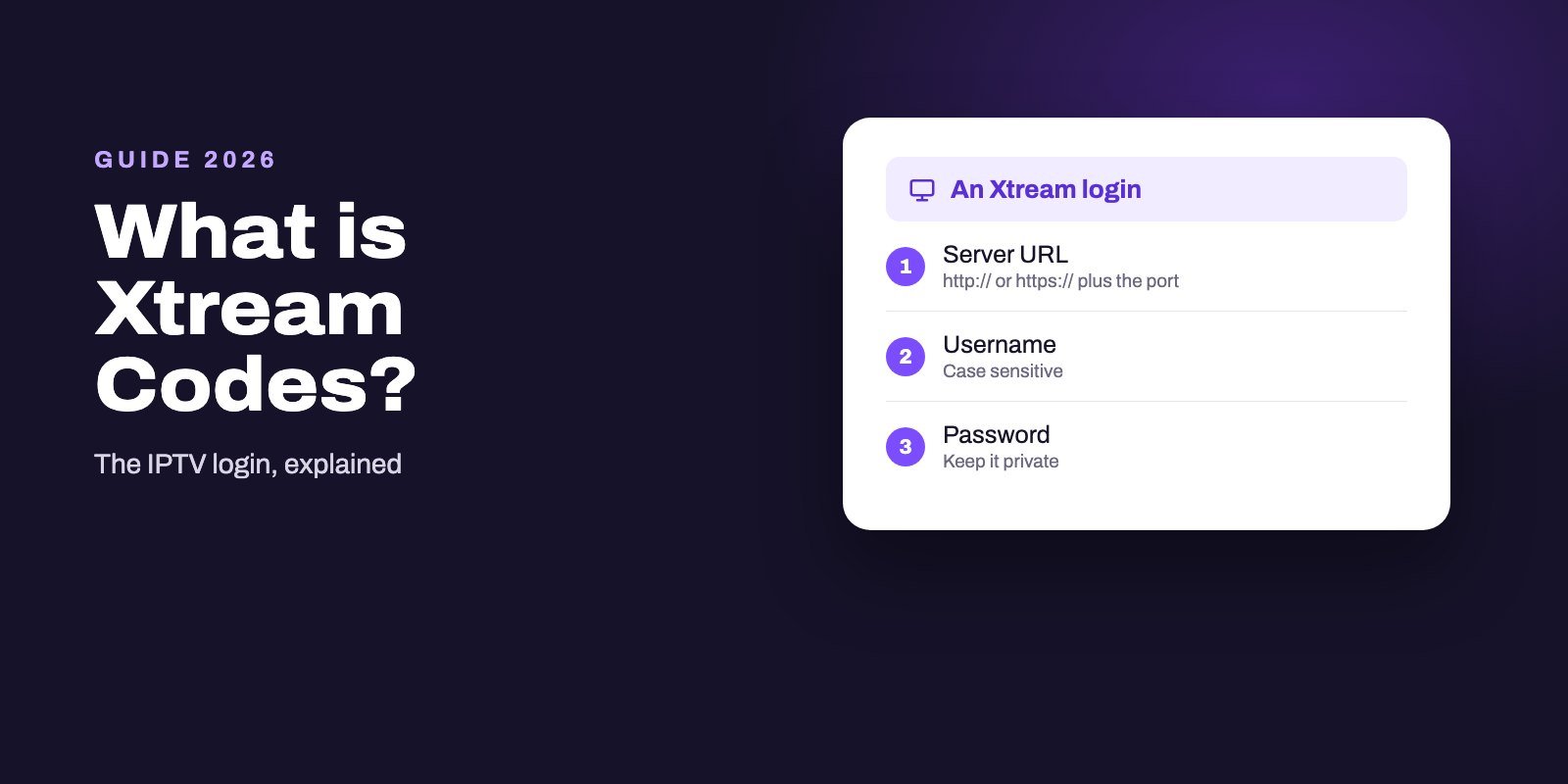
Xtream Codes is a way of logging in to an IPTV service with three details: a server URL, a username and a password. You type them into a player such as TiviMate or IPTV Smarters Pro, and the player fetches your channels, the TV guide and the films and series from the provider's server. The name comes from Xtream-Codes, an IPTV management platform shut down in Italy in 2019; the login format it popularized is still the standard today.
For most players, an Xtream login beats an M3U link, because the guide and the categories usually arrive with it and you have nothing extra to configure. Keep the M3U version of the same account anyway: Kodi's official add-on and VLC cannot use an Xtream login, and that one long link is what they need.
Note: Smart IPTV App is an IPTV provider, and we promote our own service on this page. The apps and devices mentioned here are made by independent companies.
Last checked: October 12, 2026. History from TorrentFreak (2020) and TorrentFreak (2022); player support from each developer's own site or store listing, as cited in our player guides.
The three fields of an Xtream login
Every Xtream login has the same shape, whichever provider sends it:
- Server URL. The address of the provider's server, usually starting with
http://orhttps://and often ending with a port number after a colon, such as:8080. Some apps call it the portal URL or the host. - Username. The account name your provider created for you.
- Password. The password tied to that account. It is case sensitive, like the username.
Some players also ask for a profile name. That one is yours to invent, such as "Living room", and it never leaves your device. The other three must be copied exactly, character by character, including the port.
With those three fields, a compatible player talks to the provider's server through what is often called the Xtream Codes API, and asks it for the channel list, the program guide and the on-demand catalogue. That is why one login can fill a whole app.
Where the name comes from
Xtream-Codes was not an IPTV service. As TorrentFreak reported, it was software that let other businesses manage and resell their own IPTV services, and it was used so widely that its login format became the common way to sign in to IPTV services.
In September 2019, Italy's Guardia di Finanza announced a large operation that dismantled the Xtream-Codes platform. TorrentFreak later put the number of the system's users who lost access at about 700,000. The story did not end there: in June 2022, the company reported that a regional court in Italy had found no evidence it acted unlawfully, that an appeal to the Supreme Court of Cassation had been dismissed and that seized assets would be returned, according to TorrentFreak.
What survived is the format. Today's IPTV panels and players use "Xtream Codes" or "Xtream Codes API" to mean that three-field login, whoever built the server software behind it.
Xtream Codes or M3U: what changes
| Xtream Codes login | M3U link | |
|---|---|---|
| What you receive | Server URL, username, password | One long web address |
| TV guide | Usually arrives with the login | Often needs a separate EPG link |
| Channel categories | Sent by the server | Depend on the playlist's group tags |
| Films and series | Usually listed in separate sections | Often mixed into one list, or absent |
| Players that accept it | TiviMate, Smarters, XCIPTV, MyIPTV, Set IPTV and many more | Almost every player, plus Kodi and VLC |
| Typing on a TV remote | Three short fields | One very long link |
Under the hood, both formats point at the same account. The difference is how much the player receives in one go. With Xtream, the server describes itself: groups, guide, catalogue. With M3U, the player gets a list of streams and whatever labels the playlist contains, and the guide often comes from a second address.
Which players accept an Xtream login
Most mainstream players do. On Android TV and Fire OS sticks, TiviMate lists Xtream Codes next to M3U and Stalker portals, XCIPTV mentions guide support for the Xtream Codes compatible API, and IPTV Smarters Pro calls it API-based login. On Windows, MyIPTV Player supports Xtream with catch-up. Several smart TV players, Set IPTV among them, accept either an M3U link or an Xtream login on their websites.
Two well-known tools do not. Kodi's official add-on, PVR IPTV Simple Client, reads M3U playlists and XMLTV guides only, as our Kodi guide explains. And VLC has no login screen at all. For both, the M3U version of your account is the way in.
Our best IPTV player guide shows which app suits each device.
The third format: Stalker portals and MAG
Xtream and M3U are not the only ways in. Some services also offer a portal login, often called Stalker or MAG portal, where the device is identified by its MAC address instead of a username and password. TiviMate lists Stalker portals among the formats it reads, and Linux MAG boxes are built around this kind of portal.
If your provider gives you a choice, the decision is usually simple: Xtream for app-based devices such as Android TV boxes, Fire OS sticks, phones and computers, a portal for a MAG box that cannot run apps, and M3U for anything that accepts neither. Many services, ours included, can supply more than one format for the same account, so you are not locked into the first one you receive.
One login on several devices
A single Xtream login can sit in TiviMate on the living-room box, in Smarters on a phone and in MyIPTV on a laptop at the same time, because the login belongs to your account rather than to one app. What limits you is the number of screens playing at once, which your plan sets: open one stream too many and the extra screen is refused or another one stops. If several people in the house watch at the same moment, choose a plan that covers that many screens instead of sharing one connection and wondering why streams keep cutting out.
How to sign in with Xtream Codes
The wording varies by app, but the route is the same everywhere:
- Open the player and choose to add a playlist, a user or a source.
- Pick the option labelled Xtream Codes, Xtream Codes API, or API login. Avoid M3U unless that is what you received.
- Give the profile any name you like.
- Paste or type the server URL with its prefix and port, then the username and the password.
- Confirm and let the player download the channel list and the guide. A large service can take a minute or two the first time.
Copying beats typing. Open your provider's message on a phone, copy each field, and paste it into the player if the app allows it. On a TV with a remote, type slowly and check the port before confirming.
What is the Xtream server URL?
It is simply the internet address of your provider's server, and a field that is easy to get wrong. Three details matter.
The prefix. Keep http:// or https:// exactly as written. Changing one for the other can be enough to make the login fail.
The port. If the address ends with a colon and a number, that number is part of the URL. Leaving it out sends the player to the wrong door.
Nothing extra. No spaces at the end, no trailing slash unless your provider included one, no words copied from the message around it.
If a player asks separately for a host and a port, split the address at the colon: the part before goes into host, the number after goes into port.
Converting Xtream Codes to M3U
People search for "Xtream to M3U converters" because some apps only take a playlist link. You rarely need a converter. Request the playlist version of your account from the provider instead: many services generate one from the same credentials and send it on request, and Smart IPTV App includes both formats in every plan.
Be wary of online converter sites that ask you to paste your username and password. You would be handing your login to a stranger. If you do need the M3U form, get it from the one party that already has your details: your provider.
Why "free Xtream codes" are a bad idea
Lists of free Xtream logins circulate on forums, videos and so-called generator apps. They are one of two things. Either they belong to someone who is paying for them and did not mean to share, in which case they stop working as soon as the owner or the provider notices. Or they are bait, used to push you toward something you did not ask for.
The same caution protects your own account. An Xtream login is as private as a password, because that is what it is. Do not post it in forums, share it in screenshots or type it into websites you do not trust. Anyone who has it can use your subscription, and your provider may suspend the account if it is used on too many screens at once.
When the server details change
Providers occasionally move a service to a new server address. You notice it the same way everywhere: channels stop loading on every device at the same moment, while your subscription is still active and the rest of the internet works. A good provider announces the change and sends the new URL; your username and password usually stay the same.
Updating is quick. Open the player's list of profiles or playlists, edit the existing Xtream entry or add a new one with the new server URL, and let the guide reload. Then remove the old profile so the app stops trying the dead address. Do it on each device, since every player stores its own copy of the login.
Common Xtream login errors
"Failed to authorize" or "invalid credentials"
The server refused the details. Check every character, the prefix and the port, and that you chose the Xtream option rather than M3U. Our failed-to-authorize guide walks through all eight causes.
The login works but the guide stays empty
Refresh the guide in the player's settings and give it time on the first load. If it stays blank, our EPG explainer covers mismatched channels and time zones.
It worked yesterday, not today
Check that the subscription is still active, and that no other screen is using your last free connection. If every device fails while other apps work, the server may be down, as our troubleshooting guide explains.
Getting an Xtream login that works
Every Smart IPTV App plan comes with an Xtream Codes login, for TiviMate, Smarters and the many players that accept it, and with the M3U version of the same account for Kodi, VLC and the rest. You can try both with our free 24-hour trial before deciding. Once you subscribe, the details arrive by WhatsApp or email a few minutes after payment, for up to four screens at once. Prices are on the IPTV subscription page.
Frequently asked questions
What is Xtream Codes in IPTV?
A login format made of a server URL, a username and a password. Compatible players use it to fetch your channels, guide and films from the provider's server.
Is Xtream Codes better than M3U?
In most players, yes, because the guide and categories usually come with the login. M3U is the fallback for players that cannot use Xtream, such as Kodi's IPTV Simple add-on and VLC.
Is Xtream Codes still working?
The original Xtream-Codes platform was shut down in 2019, but its login format lives on. Today's IPTV services and players still use Xtream Codes logins every day.
What is the Xtream server URL?
The internet address of your provider's server, usually with http:// or https:// and a port number. Copy it exactly, port included.
Which IPTV players support Xtream Codes?
TiviMate, IPTV Smarters Pro, XCIPTV, MyIPTV Player and Set IPTV among many others. Kodi's official IPTV Simple add-on and VLC do not.
Can I convert Xtream Codes to M3U?
Request the playlist version of your account from your provider rather than pasting your login into a converter website.
Are free Xtream codes safe?
No. They belong to someone else or serve as bait, and they stop working quickly. Treat your own login like a password.