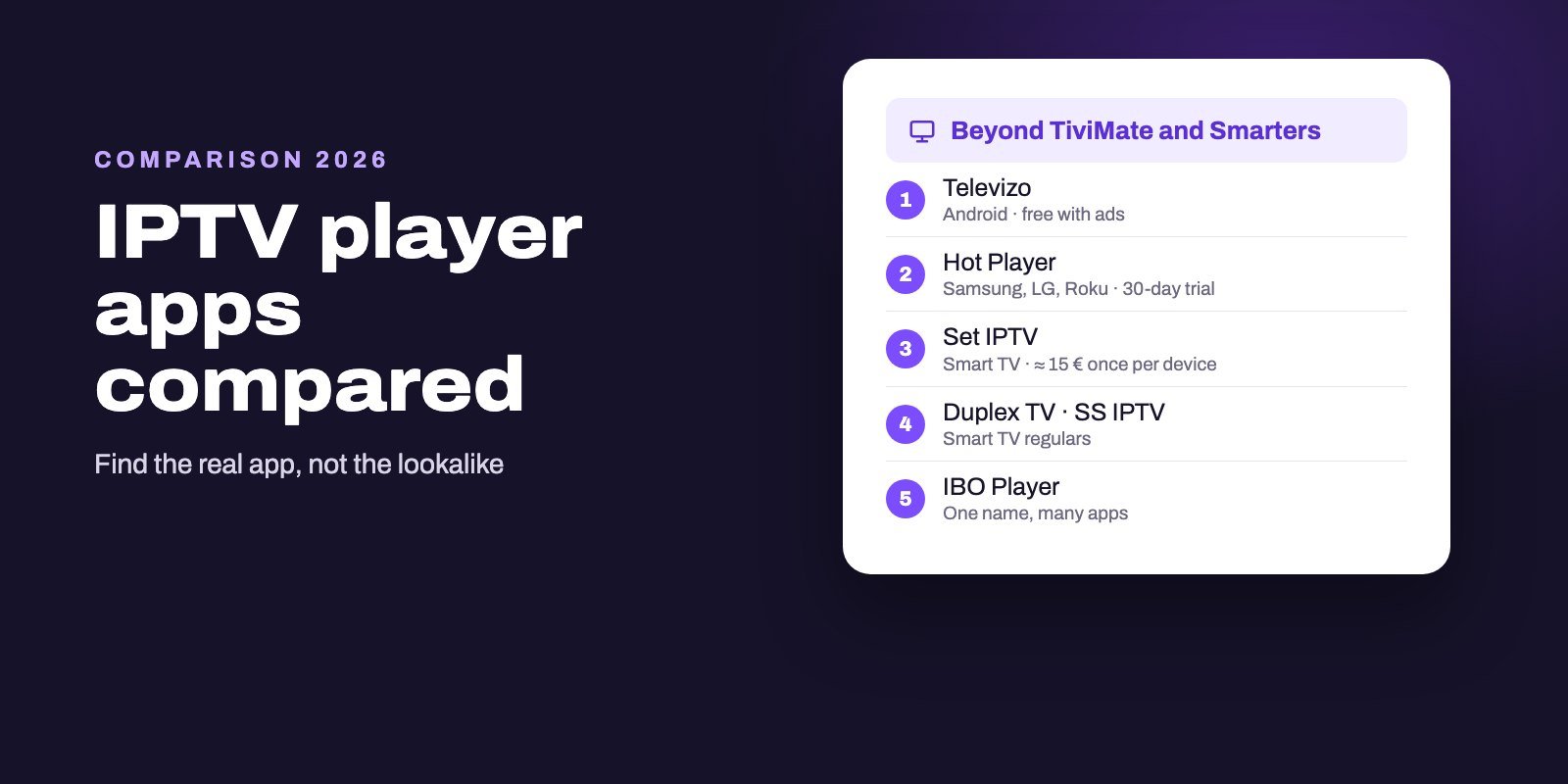
Beyond TiviMate and Smarters, the IPTV players worth knowing are Televizo for Android phones and TVs (free with ads), Hot Player for Samsung, LG and Roku (30-day trial, then a license), Set IPTV for smart TVs and Android (7-day trial, then a one-time activation per device), Duplex TV, the veteran SS IPTV, and IBO Player, which comes in several unrelated versions. None of them includes channels: you add the playlist or login from your IPTV provider.
The hard part is not choosing a player but finding the real one. Behind each of these names sit several apps and websites, and some sites that borrow a player's name sell IPTV subscriptions rather than the player. Activate a player only on the website the app itself shows you, and buy your channels separately, from a provider you can test first.
Note: Smart IPTV App is an IPTV provider, and we promote our own service on this page. The apps and devices mentioned here are made by independent companies.
Last checked: October 11, 2026, against each developer's own website (hotplayer.app, setsysteme.com, duplex24.com, ss-iptv.com), the Google Play and App Store listings named below, and Google's results for each player.
The players at a glance
| Player | Devices | How you pay | Worth knowing |
|---|---|---|---|
| Televizo | Android phones, tablets and TVs | Free with ads, purchases in the app | 5M+ installs, EPG, catch-up, Chromecast |
| Hot Player | Samsung, LG, Roku, Android and more | 30-day trial, then yearly or lifetime | Up to 3 playlists, set up by MAC address |
| Set IPTV | Smart TVs and Android | 7-day trial, then about 15 € once per device | License tied to one MAC, not transferable |
| Duplex TV | Samsung, LG, Android, iOS | 7-day trial, then a paid activation | Playlist uploaded by the user |
| SS IPTV | Smart TVs | See the developer's site | Early LG app, playlist editor online |
| IBO Player | Smart TVs, Android, Apple, Roku | Depends on the version | Several apps and sites share the name |
Every figure here comes from the developer's site or the official store listing, checked on October 11, 2026. Prices for MAC-activated players are shown in the currency the developer uses, with conversions where the developer gives them.
Televizo: the free Android all-rounder
Televizo is published on Google Play by Andrey Menscikov and counts more than five million installs, with a rating of 3.9. It runs on phones, tablets and Android TV devices, which already sets it apart from TiviMate, a TV-only app. The listing names the features that matter: several playlists, a program guide, catch-up, Chromecast, sorting and search, parental control, favorites, and a choice of video, audio and subtitle tracks.
It is free to install, shows ads, and sells purchases inside the app. A separate "Televizo Companion" app also exists on Google Play. Like every player in this guide, Televizo states plainly that it provides no content.
Choose it if you watch on an Android phone and a TV box with the same app, or if you want a free alternative to TiviMate and can live with ads.
Hot Player: one app for Samsung, LG and Roku
Hot Player is one of the few players whose own site lists the Roku Store next to the Samsung and LG stores, plus Google Play and others. After a free month of trial, it asks for either a yearly fee or a single lifetime payment, and it lets you keep up to three playlists. You set it up from a phone or computer: note the MAC address shown in the app, open Upload List on hotplayer.app and add your playlist.
Two cautions. The site currently displays two different sets of prices for the same licenses, so check the amount at the moment you pay. And the developer itself warns that it has identified unauthorized websites replicating its platform. The genuine address is hotplayer.app; a lookalike with extra words in the name is not the developer.
Our guides for Samsung, LG and Roku show where Hot Player fits on each.
Set IPTV: a lifetime license for one TV
Set IPTV is made by SETSYSTEME and runs on smart TVs and Android devices. Its official site is unusually clear about money: a 7-day free trial with every feature and no card required, then a lifetime activation of 170 Moroccan dirhams, which the site converts to about 15.43 €, paid once. That activation is tied to one device's MAC address and cannot be transferred.
Setup follows the usual MAC routine. The address appears on the app's home screen, and you add your M3U link or Xtream login on the developer's site against that address. The site also states, like the others, that it is a player only and sells no channels or subscriptions.
The lesson applies to every MAC-based player: activate on the TV you will keep. A new television means a new activation.
Duplex TV and SS IPTV: two smart TV regulars
Duplex TV lists apps for Samsung, LG, Android and iOS. According to its site, it provides no content, you upload your own playlist, and after seven days of free trial you activate the device by paying the developer. It is a straightforward choice for a smart TV owner who wants to test before paying.
SS IPTV, short for Simple Smart IPTV, is one of the oldest names in this field. Its site describes it as one of the most popular smart TV applications in the CIS, South America and Europe, and as the first app of LG Smart World to offer IPTV viewing, praised in LG's Smart TV Apps Contest in 2012. It manages playlists through an online editor on ss-iptv.com. Check its current store availability on your TV model, since older apps are not always kept on newer systems.
IBO Player: one name, many apps
IBO Player is the most confusing case in this guide. Search for it and you meet at least four websites presenting themselves under the IBO name: iboplayer.com, iboplayer.pro, iboiptv.com and an admin panel on iboproapp.com. The stores add to the puzzle. On October 11, 2026, Google Play offered "IBO Player Pro: IPTV Player" from a publisher called SUPERB APPS, while the App Store listed both "IBO PLAYER" and "ibo Pro Player", the latter from IRBOETECH with a $9.99 activation, and Roku showed an "Ibo Player Pro" channel.
We cannot tell you which of them is "the" IBO Player, and we suspect several are separate products. What protects you is a simple habit: install one app, look at the activation or playlist address it shows on screen, and use that website and no other. If you already pay for IBO on one TV, do not assume a same-named app on another store will accept that license.
GSE, Net IPTV, Flix and the rest
A few more names come up often, and the same pattern repeats. GSE Smart IPTV appears on the App Store under one publisher, while Google Play carries a "GSE IPTV Player" from Xerxes Information System, last updated in July 2025, and a paid "GSE SMART IPTV PRO" from another developer. Net ipTV is on Google Play from Allsoftware24, with more than a million installs but a rating of 2.7. A "Flix Pro Player" on Google Play comes from Logic Titans, the same publisher behind one of the Smarters-named apps on Roku.
None of this means these apps are bad. It means a name alone tells you very little, so read the publisher and the update date on the listing before installing anything.
How MAC-activated players work
Hot Player, Set IPTV, Duplex TV, IBO and many smart TV players share one model, and understanding it saves money.
- The app shows an identifier. On first launch, you see your TV's MAC address, sometimes with a device key.
- You add the playlist on a website. On the developer's site, you enter that identifier and paste your M3U link or Xtream details.
- The trial runs. Seven days for Set IPTV and Duplex TV, thirty for Hot Player.
- You activate the device. The license is bought for that MAC address, which is why it stays with the TV.
Two practical consequences follow. A TV can show a different MAC on Wi-Fi and on a cable, so pick your connection before activating. And because you type private login details into a website, that website must be the one your app displays, not a search result with a similar name.
The name trap: sellers using player names
Here is what surprised us most. On October 11, 2026, the Google results for Hot Player, Duplex, SS IPTV and Flix each included at least one site that used the player's name in its address while advertising IPTV subscriptions, channel counts or trials. Their pages look like the player's home. They are not.
Player developers say the opposite of what those sites sell. Hot Player, Set IPTV, Duplex TV, Televizo and the others all state that they provide no channels. So if a "player" website offers you thousands of channels, you are on a seller's page, and its quality has nothing to do with the app you installed. Judge it as a provider: published prices, a trial, reachable support, and a clear refund policy.
Smart IPTV App is an IPTV provider too, and we say so on every page: we are not the developer of any player mentioned here and are not affiliated with them.
Which player should you pick?
- Android TV or Fire OS box, live TV first: TiviMate, or Televizo for a free option with ads.
- Android phone and TV box, one app for both: Televizo or IPTV Smarters Pro.
- Samsung or LG TV: Hot Player, Set IPTV or Duplex TV if your model offers them, alongside the options in our Samsung and LG guides.
- Roku: Hot Player, with the cautions in our Roku guide.
- Computer: Kodi for a free guide grid, VLC to test a link.
Whatever you pick, use the trial with a real playlist before paying for an activation, and do it on the device you will actually keep. Our Android TV app comparison goes deeper on the box side.
One playlist, any of these players
Every player here accepts an M3U link, and several also take an Xtream Codes login, as Set IPTV's site states, so the subscription you choose matters more than the app. Smart IPTV App includes both with every plan and sends them by WhatsApp or email, typically 5 to 15 minutes after you pay, for one to four devices depending on the plan. Before paying any player's activation fee, test the pair together with our free 24-hour trial. All our prices are listed on the IPTV subscription page.
Frequently asked questions
Is Hot Player free?
You get 30 days free; after that, Hot Player's developer sells a yearly plan or a lifetime one on hotplayer.app. Check the price at the moment you pay, since the site shows two price lists.
Which IBO Player is the official one?
Several apps and websites use the IBO name, from different publishers. Install one app and use only the activation or playlist website it shows on screen.
How much does Set IPTV cost?
After a 7-day free trial, Set IPTV's developer charges a one-time lifetime activation of 170 MAD, about 15.43 €, tied to one device's MAC address.
Is Televizo better than TiviMate?
Televizo runs on phones, tablets and TVs and is free with ads; TiviMate is built for Android TV devices only. For live TV on a box, TiviMate is our first choice.
Do these players include channels?
No. Their developers state they are players only. You add the playlist or login from an IPTV provider.
Why does a player's website sell IPTV channels?
It probably is not the player's website. Some sellers use player names in their addresses; the developers themselves say they provide no content.
What is a MAC address in an IPTV player?
The hardware identifier of your TV or box. MAC-based players show it on first launch, and you enter it on the developer's website to attach your playlist and buy the activation.
Is there a free IPTV player for smart TVs?
The smart TV players in this guide start with a free trial: 7 days for Set IPTV and Duplex TV, 30 days for Hot Player. After that, they charge an activation for each device.
Can I move a MAC-based player license to a new TV?
Usually not. Licenses such as Set IPTV's are tied to one device's MAC address and are not transferable.